
 TypingMind×
 DeepInfra
 Ann Ng
How to use MiniMax M2.1 from DeepInfra with API Key on TypingMind
Learn how to access and use MiniMax M2.1 with your DeepInfra API key through TypingMind. Get started with this powerful AI model in minutes.
DeepInfra is a cloud inference platform providing fast and cost-effective access to a wide range of open-source AI models including Llama, Mistral, DeepSeek, and more through an OpenAI-compatible API.
Key features include serverless inference with pay-per-token pricing, support for text generation, embeddings, and image models, low-latency responses powered by optimized GPU infrastructure, and easy integration with any OpenAI-compatible client or SDK.
Official Documentation: https://deepinfra.com/models
MiniMax M2.1 Overview
| Model Name | MiniMax M2.1 |
| Provider | DeepInfra |
| Model ID | MiniMaxAI/MiniMax-M2.1 |
| Release Date | Dec 23, 2025 |
| Last Updated | Dec 23, 2025 |
| Knowledge Cutoff | 2025-06 |
| Context Window | 196,608 tokens |
| Max Output | 196,608 tokens |
| Pricing /1M tokens | $0.28 input $1.2 output |
| Input Modalities | text |
| Output Modalities | text |
| Capabilities | ReasoningTool CallingTemperature ControlOpen Weights |
Complete Setup Guide
Get Your DeepInfra API Key
First, you'll need to obtain an API key from DeepInfra. This key allows you to access their AI models directly and pay only for what you use.
- Visit DeepInfra's API console
- Sign up or log in to your account
- Navigate to the API keys section
- Generate a new API key (copy it immediately as some providers only show it once)
- Save your API key in a secure password manager or encrypted note
⚠️ Important: Keep your API key secure and never share it publicly. Store it safely as you'll need it to connect with TypingMind.
Configure TypingMind with DeepInfra API Key
- Open TypingMind in your browser
- Click the "Settings" icon (gear symbol)
- Navigate to "Models" section
- Click "Add Custom Model"
- Fill in the model information:Name:
MiniMaxAI/MiniMax-M2.1 via DeepInfra(or your preferred name)Endpoint:https://api.deepinfra.com/v1/chat/completionsModel ID:MiniMaxAI/MiniMax-M2.1Context Length: Enter the model's context window (e.g., 196608 for MiniMaxAI/MiniMax-M2.1)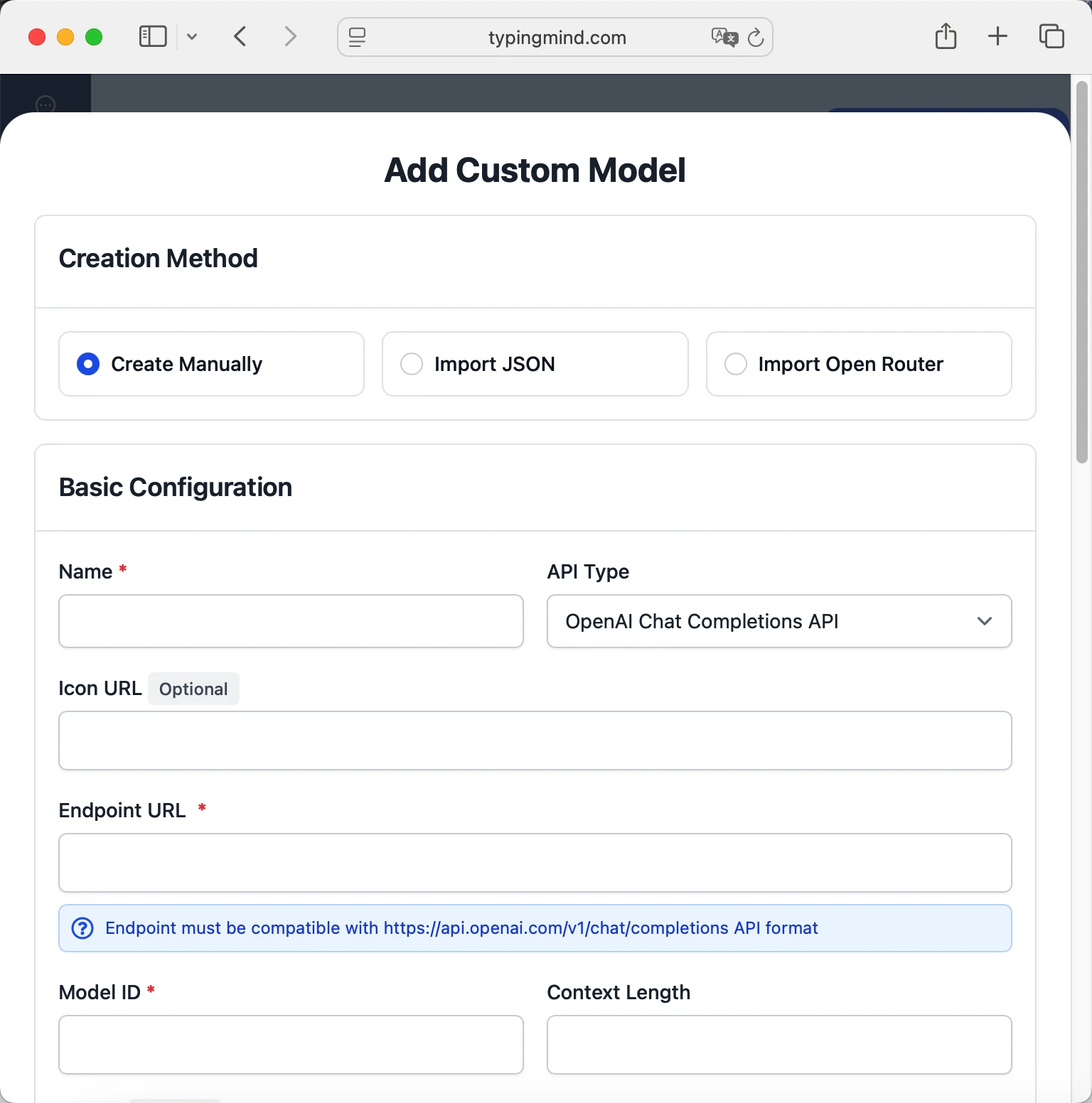 MiniMaxAI/MiniMax-M2.1https://api.deepinfra.com/v1/chat/completionsMiniMaxAI/MiniMax-M2.1 via DeepInfrahttps://www.typingmind.com/model-logo.webp196608
 - Add custom headers by clicking "Add Custom Headers" in the Advanced Settings section:Authorization:
Bearer <DEEPINFRA_API_KEY>:X-Title:typingmind.comHTTP-Referer:https://www.typingmind.com - Enable "Support Plugins (via OpenAI Functions)" if the model supports the "functions" or "tool_calls" parameter, or enable "Support OpenAI Vision" if the model supports vision.
- Click "Test" to verify the configuration
- If you see "Nice, the endpoint is working!", click "Add Model"
Start chatting with MiniMax M2.1
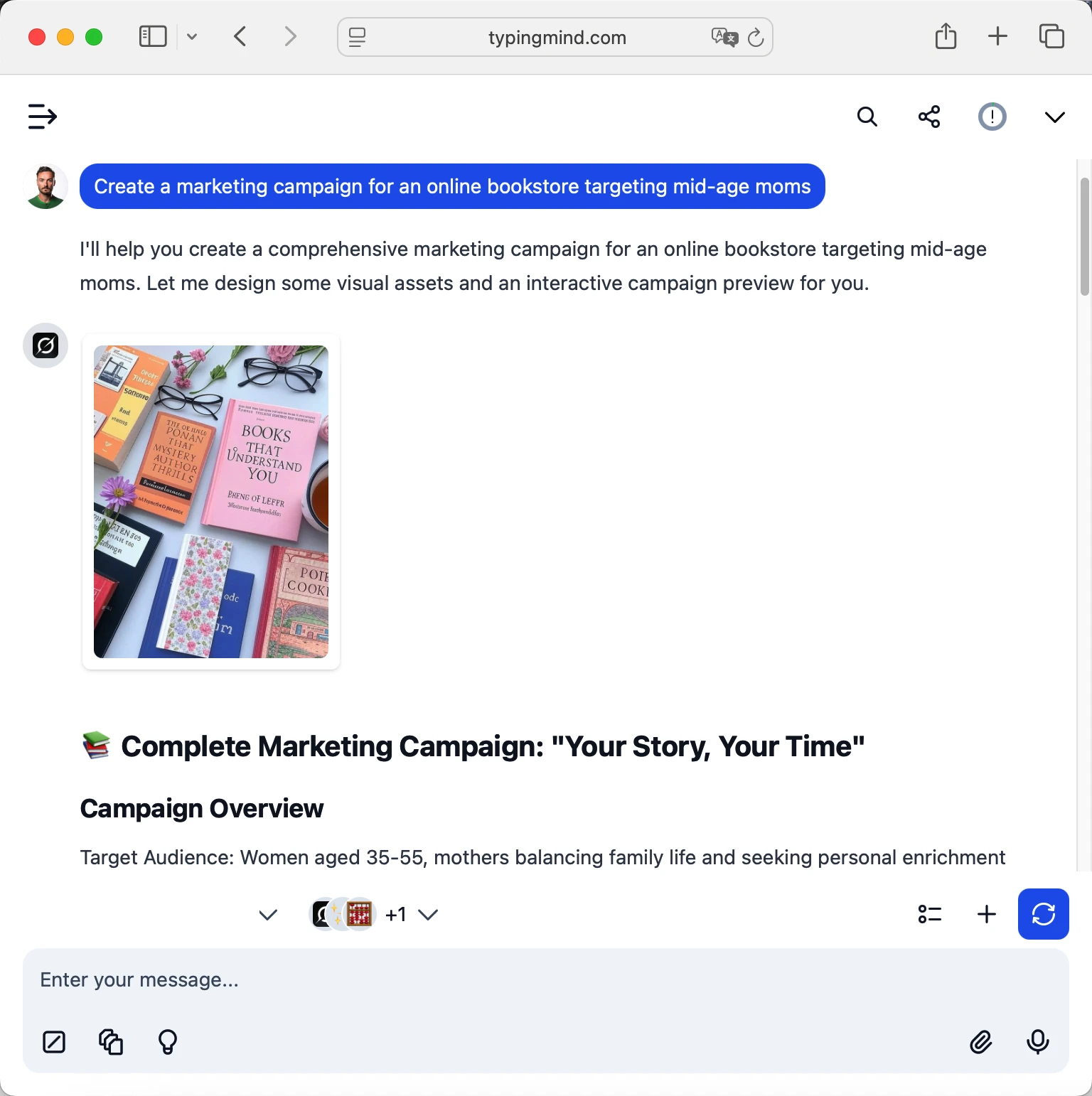
Now you can start chatting with MiniMax M2.1 through TypingMind:
- Select MiniMax M2.1 from the model dropdown menu
- Start typing your message in the chat input
- Enjoy faster responses and better features than the official interface
- Switch between different AI models as needed
 MiniMaxAI/MiniMax-M2.1
💡 Pro tips for better results:
- Use specific, detailed prompts for better responses (How to use Prompt Library)
- Create AI agents with custom instructions for repeated tasks (How to create AI Agents)
- Use plugins to extend MiniMax M2.1 capabilities (How to use plugins)
Frequently Asked Questions
Do I need a subscription to use MiniMax M2.1?
No! With DeepInfra API, you pay only for what you use with no monthly subscription. Add credits to your DeepInfra account and pay as you go. TypingMind is also a one-time purchase, not a subscription.
How much will it cost to use MiniMax M2.1?
MiniMax M2.1 costs $0.28/1M input tokens and $1.2/1M output tokens. A typical conversation might cost $0.01-0.10 depending on length.
Can I use other models besides MiniMax M2.1?
Yes! With DeepInfra API + TypingMind, you can access all DeepInfra models. Switch between them instantly in TypingMind.
Is my data private and secure?
Yes! TypingMind stores conversations locally (web version in browser, desktop version on your device). DeepInfra handles API calls securely. Check DeepInfra's data policy for specifics.
Can I use MiniMax M2.1 for commercial projects?
Yes! Check DeepInfra's terms of service for specific commercial use policies. TypingMind supports commercial use.

Use GLM-4.7-Flash from deepinfra with API Key
GLM-4.7-Flash from Deep Infra - Context: 202752 tokens

Use GLM-4.6 from deepinfra with API Key
GLM-4.6 from Deep Infra - Context: 204800 tokens

Use GLM-4.7 from deepinfra with API Key
GLM-4.7 from Deep Infra - Context: 202752 tokens
Use GLM-4.6V from deepinfra with API Key
GLM-4.6V from Deep Infra - Context: 204800 tokens

Use GLM-4.5 from deepinfra with API Key
GLM-4.5 from Deep Infra - Context: 131072 tokens

Use GLM-5 from deepinfra with API Key
GLM-5 from Deep Infra - Context: 202752 tokens

Use MiniMax M2.5 from deepinfra with API Key
MiniMax M2.5 from Deep Infra - Context: 204800 tokens

Use MiniMax M2 from deepinfra with API Key
MiniMax M2 from Deep Infra - Context: 262144 tokens

Use DeepSeek-R1-0528 from deepinfra with API Key
DeepSeek-R1-0528 from Deep Infra - Context: 163840 tokens

Use DeepSeek-V3.2 from deepinfra with API Key
DeepSeek-V3.2 from Deep Infra - Context: 163840 tokens

Use Kimi K2 from deepinfra with API Key
Kimi K2 from Deep Infra - Context: 131072 tokens

Use Kimi K2 0905 from deepinfra with API Key
Kimi K2 0905 from Deep Infra - Context: 262144 tokens
