
 TypingMind×
 LucidQuery
 Ann Ng
How to use LucidQuery Nexus Coder from LucidQuery with API Key on TypingMind
Learn how to access and use LucidQuery Nexus Coder with your LucidQuery API key through TypingMind. Get started with this powerful AI model in minutes.
LucidQuery is an advanced AI platform pushing toward general intelligence through hybrid multimodal capabilities that seamlessly integrate reasoning, web search, coding, and geolocation intelligence. Key features include multimodal reasoning across text, images, audio, video, code, and structured data for deep contextual understanding, precision geolocation intelligence with spatial analysis and map-based entity search, advanced coding AI for programming problem-solving and automation, real-time web search integration for up-to-date evidence-based responses, and explainable structured outputs combining logical reasoning with generative capabilities.
The platform provides API access enabling developers to build sophisticated applications requiring multi-format data processing and real-world spatial context, designed for use cases spanning financial modeling, geographic analysis, research, and complex workflow automation.
Official Documentation: https://lucidquery.com/docs
LucidQuery Nexus Coder Overview
| Model Name | LucidQuery Nexus Coder |
| Provider | LucidQuery |
| Model ID | lucidquery-nexus-coder |
| Release Date | Sep 1, 2025 |
| Last Updated | Sep 1, 2025 |
| Knowledge Cutoff | 2025-08-01 |
| Context Window | 250,000 tokens |
| Max Output | 60,000 tokens |
| Pricing /1M tokens | $2 input $5 output |
| Input Modalities | text |
| Output Modalities | text |
| Capabilities | File UploadReasoningTool Calling |
Complete Setup Guide
Get Your LucidQuery API Key
First, you'll need to obtain an API key from LucidQuery. This key allows you to access their AI models directly and pay only for what you use.
- Visit LucidQuery's API console
- Sign up or log in to your account
- Navigate to the API keys section
- Generate a new API key (copy it immediately as some providers only show it once)
- Save your API key in a secure password manager or encrypted note
⚠️ Important: Keep your API key secure and never share it publicly. Store it safely as you'll need it to connect with TypingMind.
Configure TypingMind with LucidQuery API Key
- Open TypingMind in your browser
- Click the "Settings" icon (gear symbol)
- Navigate to "Models" section
- Click "Add Custom Model"
- Fill in the model information:Name:
lucidquery-nexus-coder via LucidQuery(or your preferred name)Endpoint:https://lucidquery.com/api/v1/chat/completionsModel ID:lucidquery-nexus-coderContext Length: Enter the model's context window (e.g., 250000 for lucidquery-nexus-coder)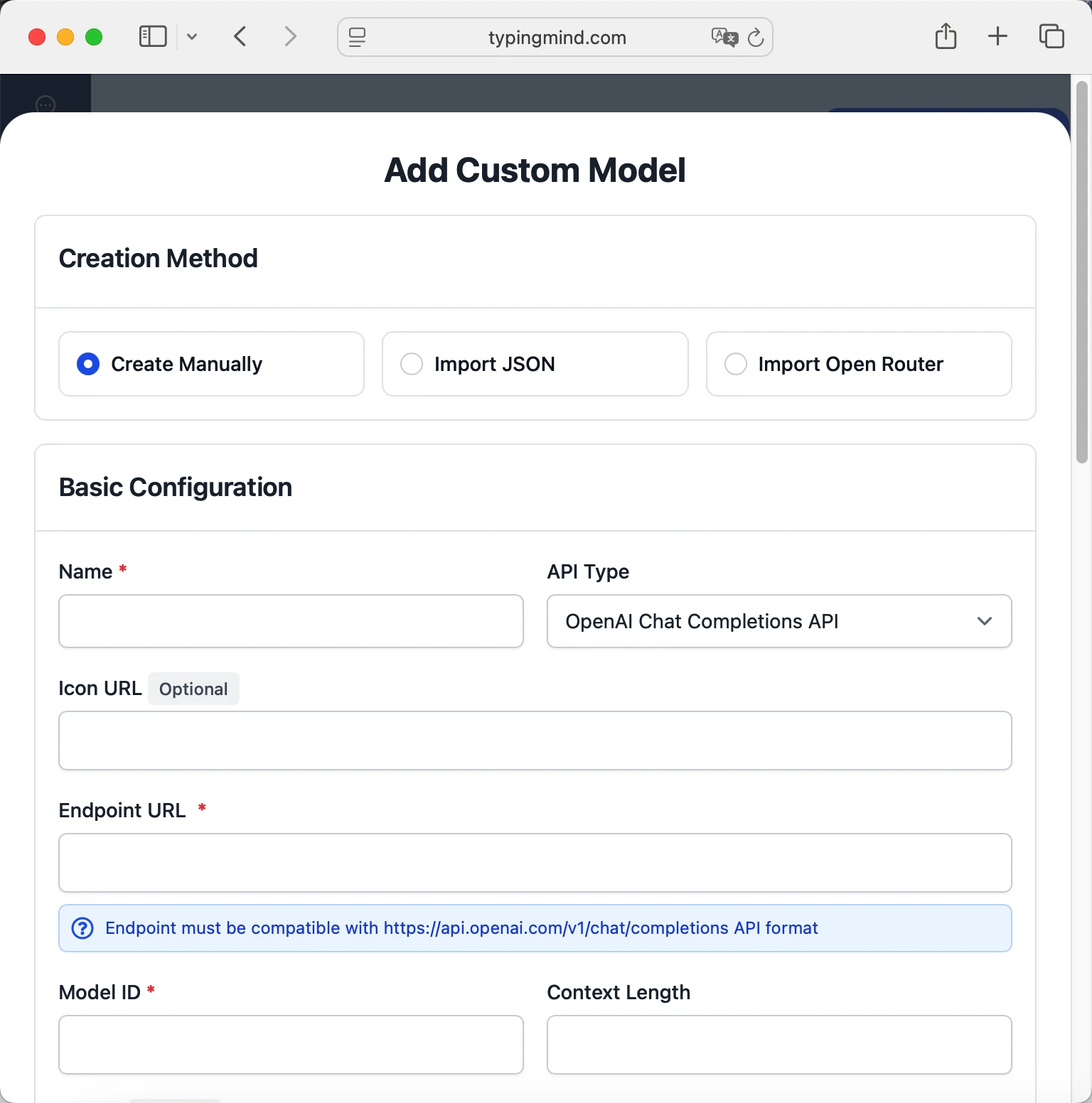 lucidquery-nexus-coderhttps://lucidquery.com/api/v1/chat/completionslucidquery-nexus-coder via LucidQueryhttps://www.typingmind.com/model-logo.webp250000
 - Add custom headers by clicking "Add Custom Headers" in the Advanced Settings section:Authorization:
Bearer <LUCIDQUERY_API_KEY>:X-Title:typingmind.comHTTP-Referer:https://www.typingmind.com - Enable "Support Plugins (via OpenAI Functions)" if the model supports the "functions" or "tool_calls" parameter, or enable "Support OpenAI Vision" if the model supports vision.
- Click "Test" to verify the configuration
- If you see "Nice, the endpoint is working!", click "Add Model"
Start chatting with LucidQuery Nexus Coder
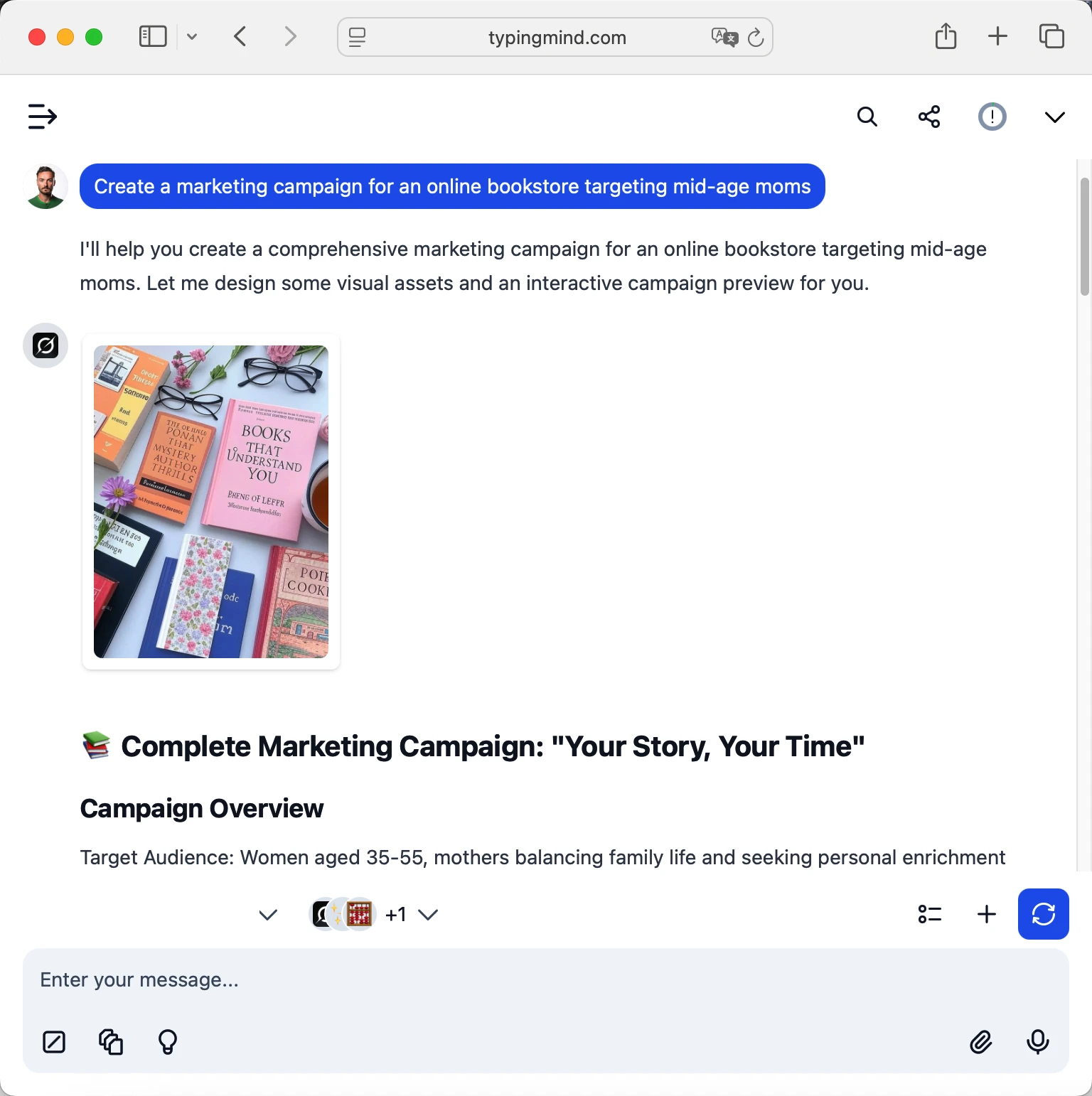
Now you can start chatting with LucidQuery Nexus Coder through TypingMind:
- Select LucidQuery Nexus Coder from the model dropdown menu
- Start typing your message in the chat input
- Enjoy faster responses and better features than the official interface
- Switch between different AI models as needed
 lucidquery-nexus-coder
💡 Pro tips for better results:
- Use specific, detailed prompts for better responses (How to use Prompt Library)
- Create AI agents with custom instructions for repeated tasks (How to create AI Agents)
- Use plugins to extend LucidQuery Nexus Coder capabilities (How to use plugins)
- Upload documents and images directly to chat for AI analysis (Chat with documents)
Frequently Asked Questions
Do I need a subscription to use LucidQuery Nexus Coder?
No! With LucidQuery API, you pay only for what you use with no monthly subscription. Add credits to your LucidQuery account and pay as you go. TypingMind is also a one-time purchase, not a subscription.
How much will it cost to use LucidQuery Nexus Coder?
LucidQuery Nexus Coder costs $2/1M input tokens and $5/1M output tokens. A typical conversation might cost $0.01-0.10 depending on length.
Can I use other models besides LucidQuery Nexus Coder?
Yes! With LucidQuery API + TypingMind, you can access all LucidQuery models. Switch between them instantly in TypingMind.
Is my data private and secure?
Yes! TypingMind stores conversations locally (web version in browser, desktop version on your device). LucidQuery handles API calls securely. Check LucidQuery's data policy for specifics.
Can I use LucidQuery Nexus Coder for commercial projects?
Yes! Check LucidQuery's terms of service for specific commercial use policies. TypingMind supports commercial use.

Use LucidNova RF1 100B from lucidquery with API Key
LucidNova RF1 100B from LucidQuery - Context: 120000 tokens

Use AGI-01 Swift from lucidquery with API Key
AGI-01 Swift from LucidQuery - Context: 300000 tokens

Use AGI-01 Frontier from lucidquery with API Key
AGI-01 Frontier from LucidQuery - Context: 300000 tokens
