
 TypingMind×
 Together AI
How to use Llama 3.3 70B with your Together AI API key on TypingMind
Learn how to access and use Llama 3.3 70B with your Together AI API key through TypingMind. Get started with this AI model in minutes.
Compact Llama instruction model for fast chat and local deployment
Together AI is an AI cloud for running open-source models. Its serverless inference API gives pay-per-token access to models like Llama, DeepSeek, Qwen, GLM, Kimi, MiniMax, and gpt-oss through an OpenAI-compatible endpoint.
Beyond serverless inference, Together AI offers dedicated endpoints, fine-tuning, batch inference, and GPU clusters for teams that need more control over performance and cost.
See the official Together AI documentation for more details.
Llama 3.3 70B Overview
| Model Name | Llama 3.3 70B |
| Provider | Together AI |
| Model ID | meta-llama/Llama-3.3-70B-Instruct-Turbo |
| Model Logo | Get the logo URL |
| Release Date | Dec 6, 2024 |
| Last Updated | Jul 2, 2026 |
| Knowledge Cutoff | 2023-12 |
| Context Window | 131,072 tokens |
| Max Output | 131,072 tokens |
| Pricing /1M tokens | $1.04 input $1.04 output |
| Input Modalities | text |
| Output Modalities | text |
| Capabilities | Tool CallingTemperature ControlOpen Weights |
Complete Setup Guide
Get Your Together AI API Key
First, you'll need to obtain an API key from Together AI. This key allows you to access their AI models directly and pay only for what you use.
- Visit Together AI's API console
- Sign up or log in to your account
- Navigate to the API keys section
- Generate a new API key (copy it immediately as some providers only show it once)
- Save your API key in a secure password manager or encrypted note
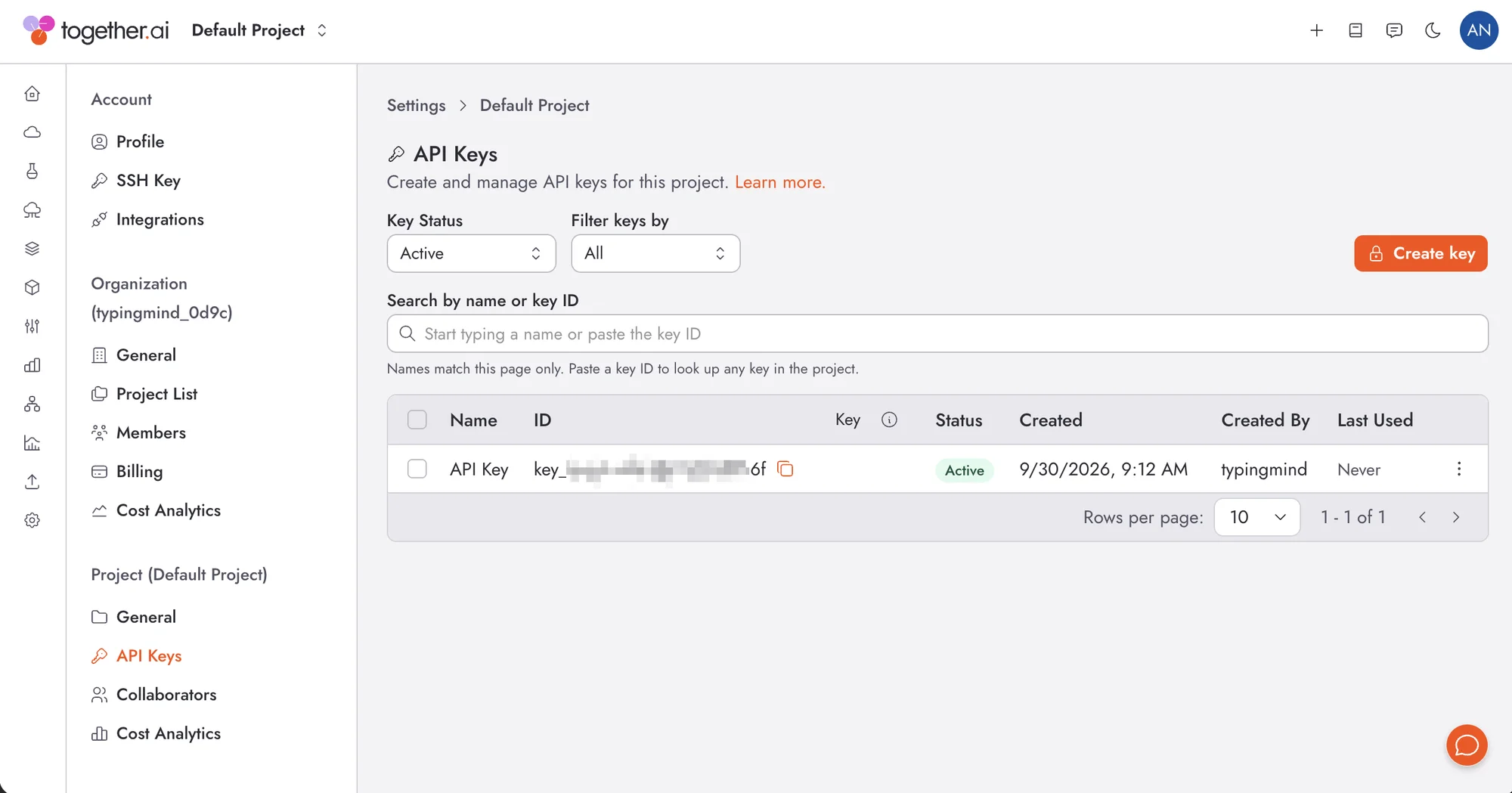
Sometimes, this provider will require you to add a payment method to your account before you can use your API key to chat with AI. So, to avoid any hiccups, make sure you've got a payment method set up and ready to go!
Important: Keep your API key secure and never share it publicly. Store it safely as you'll need it to connect with TypingMind.
Configure TypingMind with Together AI API Key
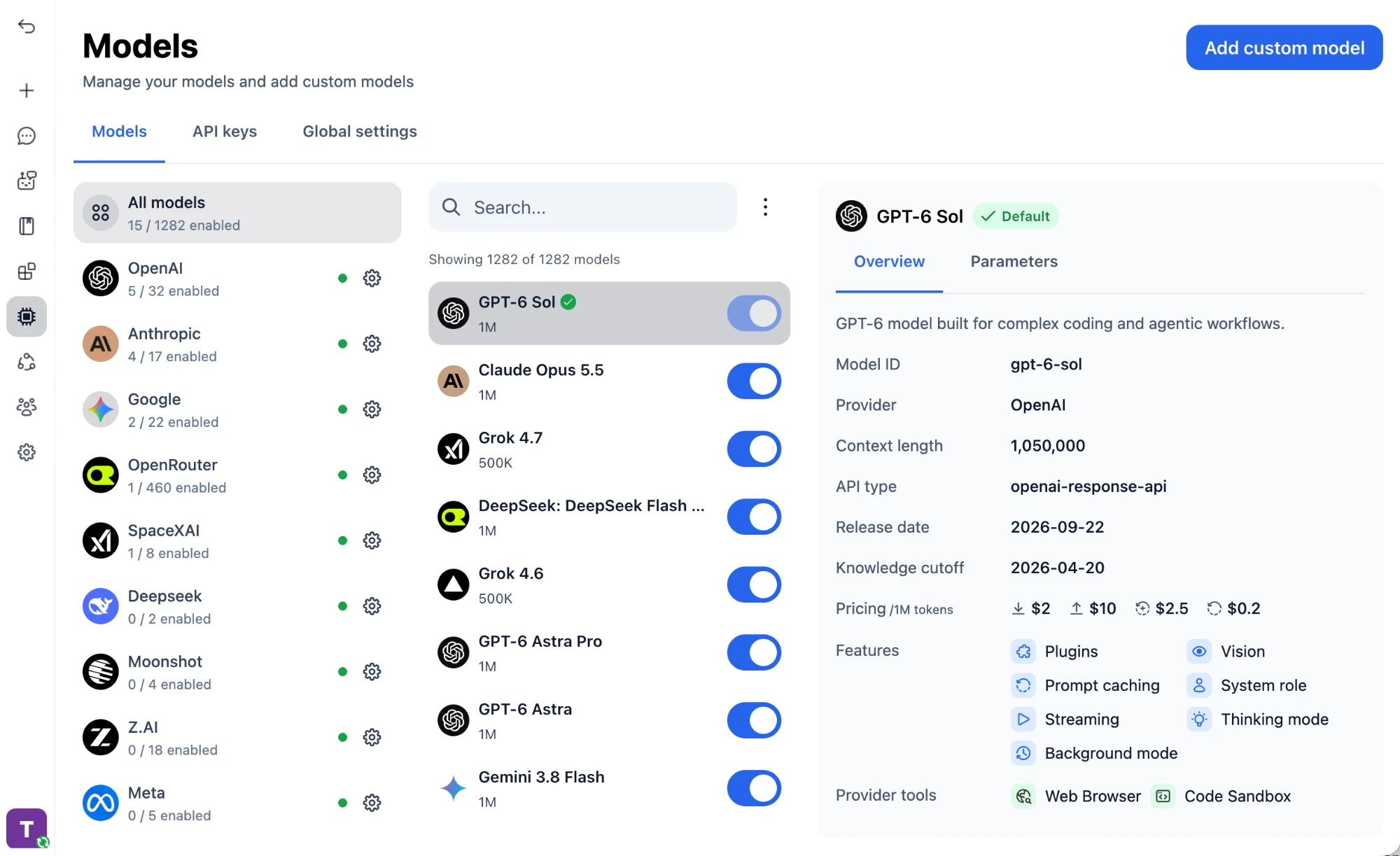
Open the Models page
Open TypingMind, click "Models" in the left sidebar, then click "Add custom model" in the top right corner.
Enter the model details
Keep "Create Manually" selected and fill in the model details:
Name:Llama 3.3 70B via Together AI(or your preferred name)Model ID:meta-llama/Llama-3.3-70B-Instruct-Turbofor example (check Together AI model list)Context Length: Enter the model's context window (e.g., 131072 for meta-llama/Llama-3.3-70B-Instruct-Turbo)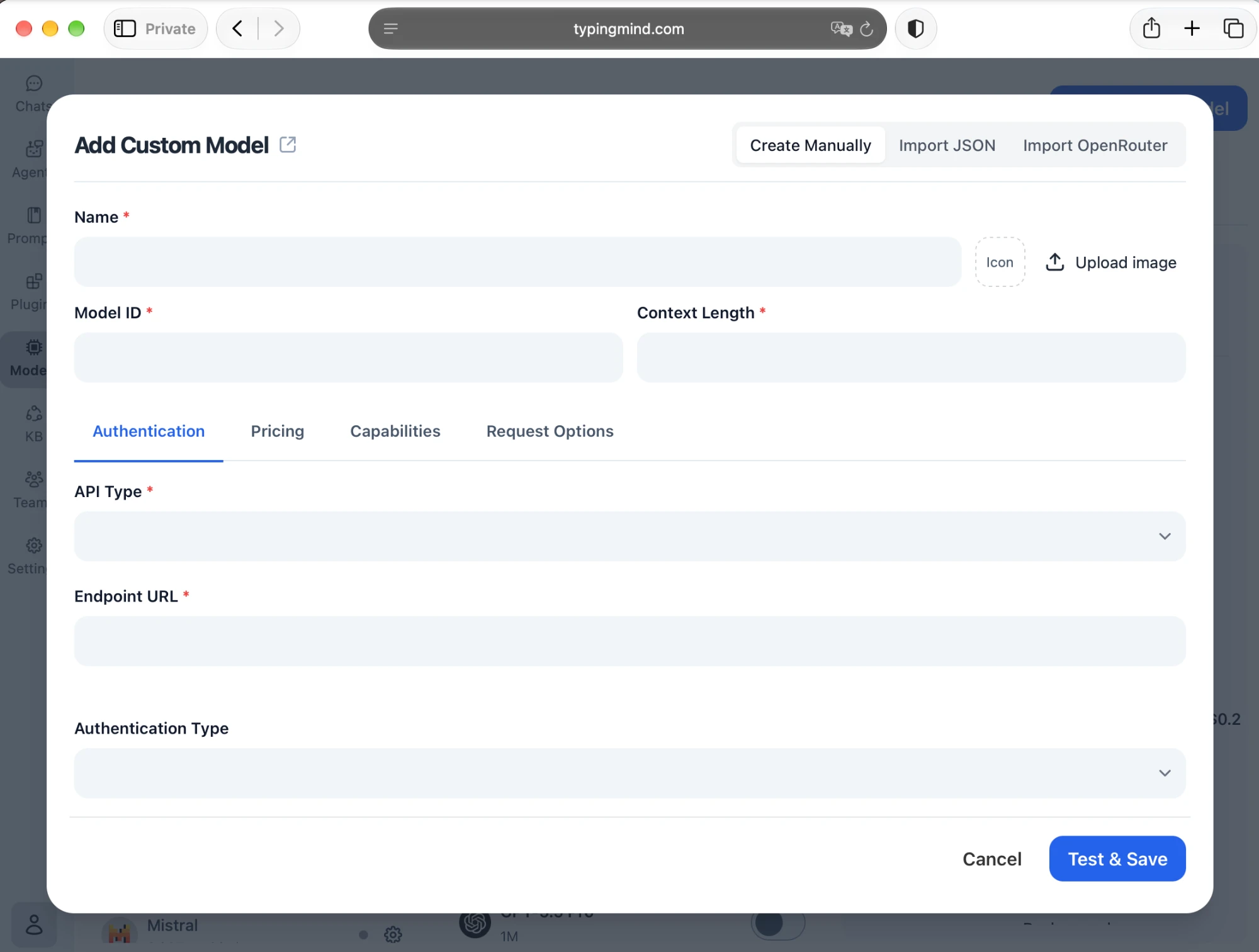
Set up authentication
In the "Authentication" tab, set the connection details:
API Type:OpenAI Chat Completions APIEndpoint URL:https://api.together.ai/v1/chat/completionsAuthentication Type:API Key via HTTP HeaderHeader Key:AuthorizationHeader Value:Bearer <TOGETHER_API_KEY>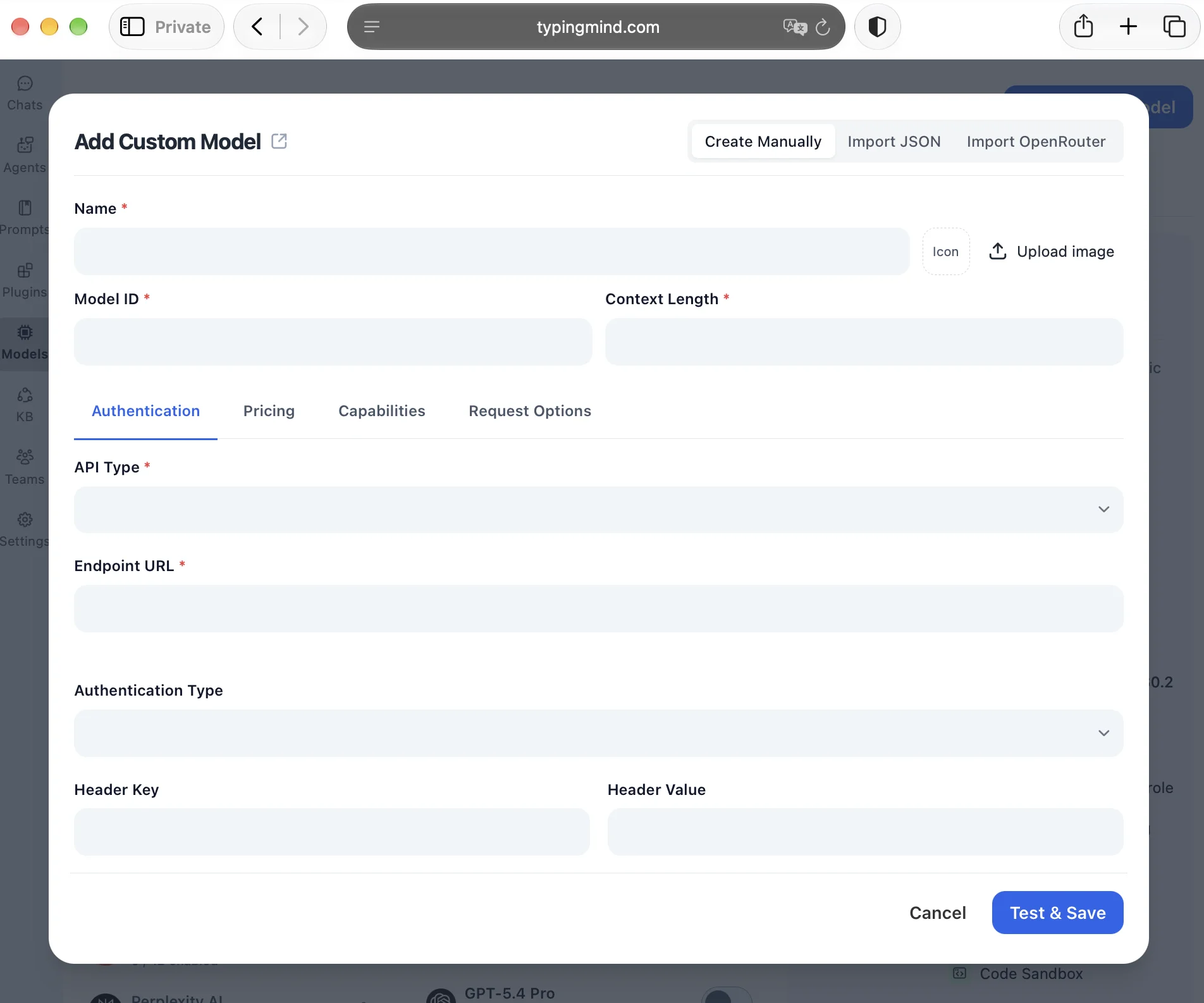
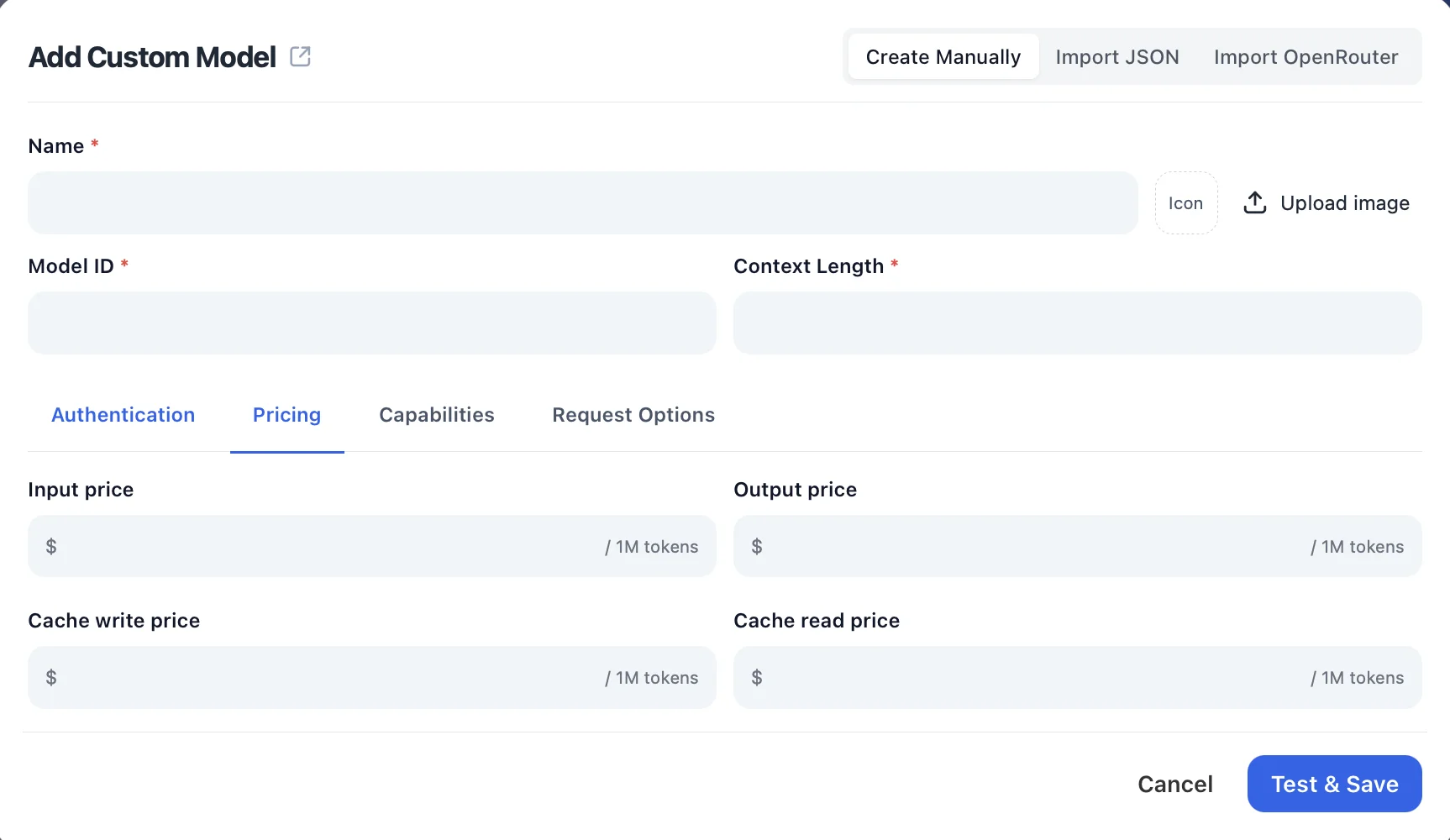
Add pricing (optional)
Open the "Pricing" tab and enter the model's input, output, and cache prices per 1M tokens so TypingMind can estimate your usage costs.
Check the capabilities
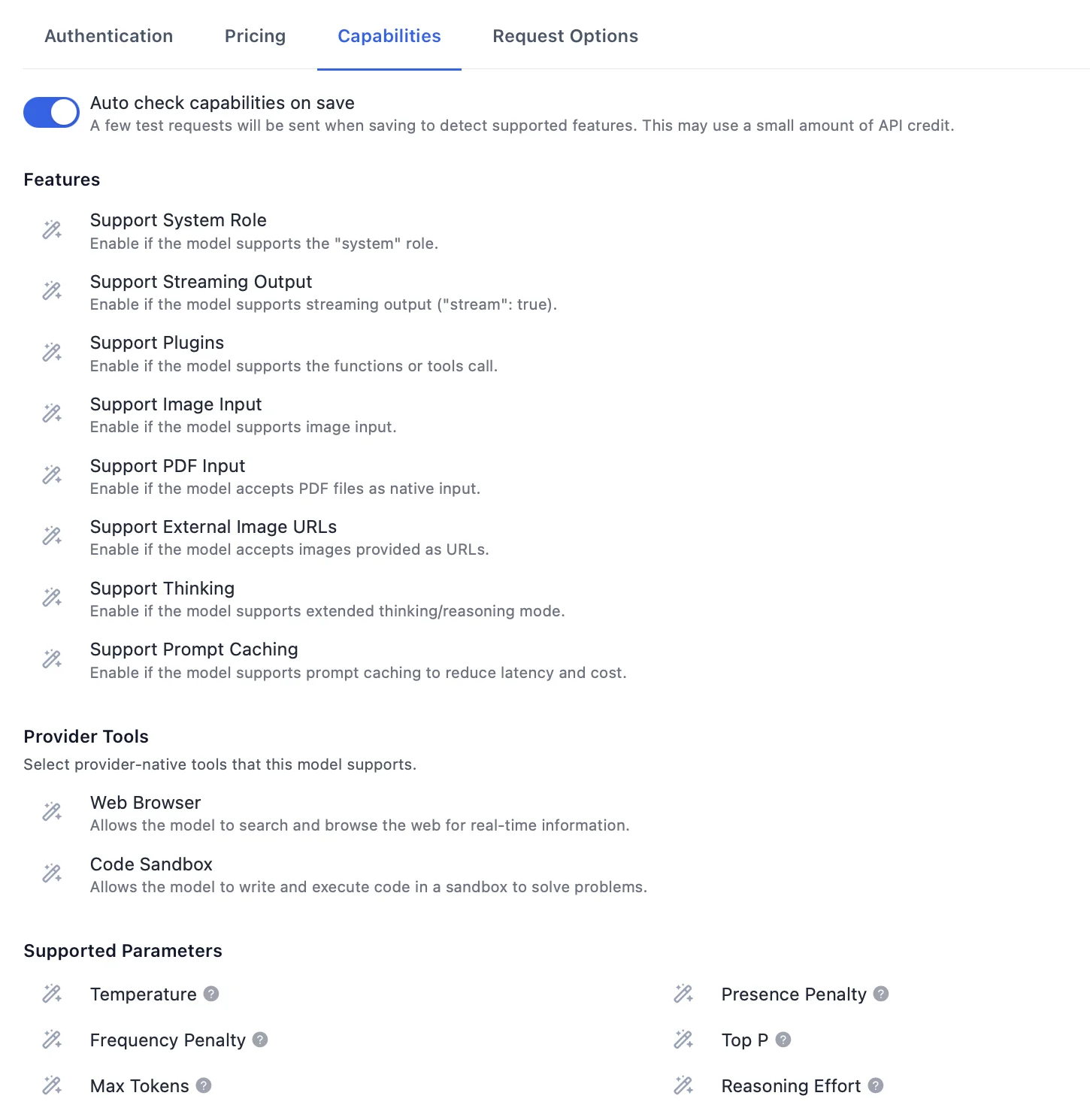
In the "Capabilities" tab, keep "Auto check capabilities on save" on so TypingMind detects supported features like plugins, image input, and thinking, or enable them manually.
Test and save
Click "Test & Save" to verify the connection and add the model.
Start chatting with Llama 3.3 70B
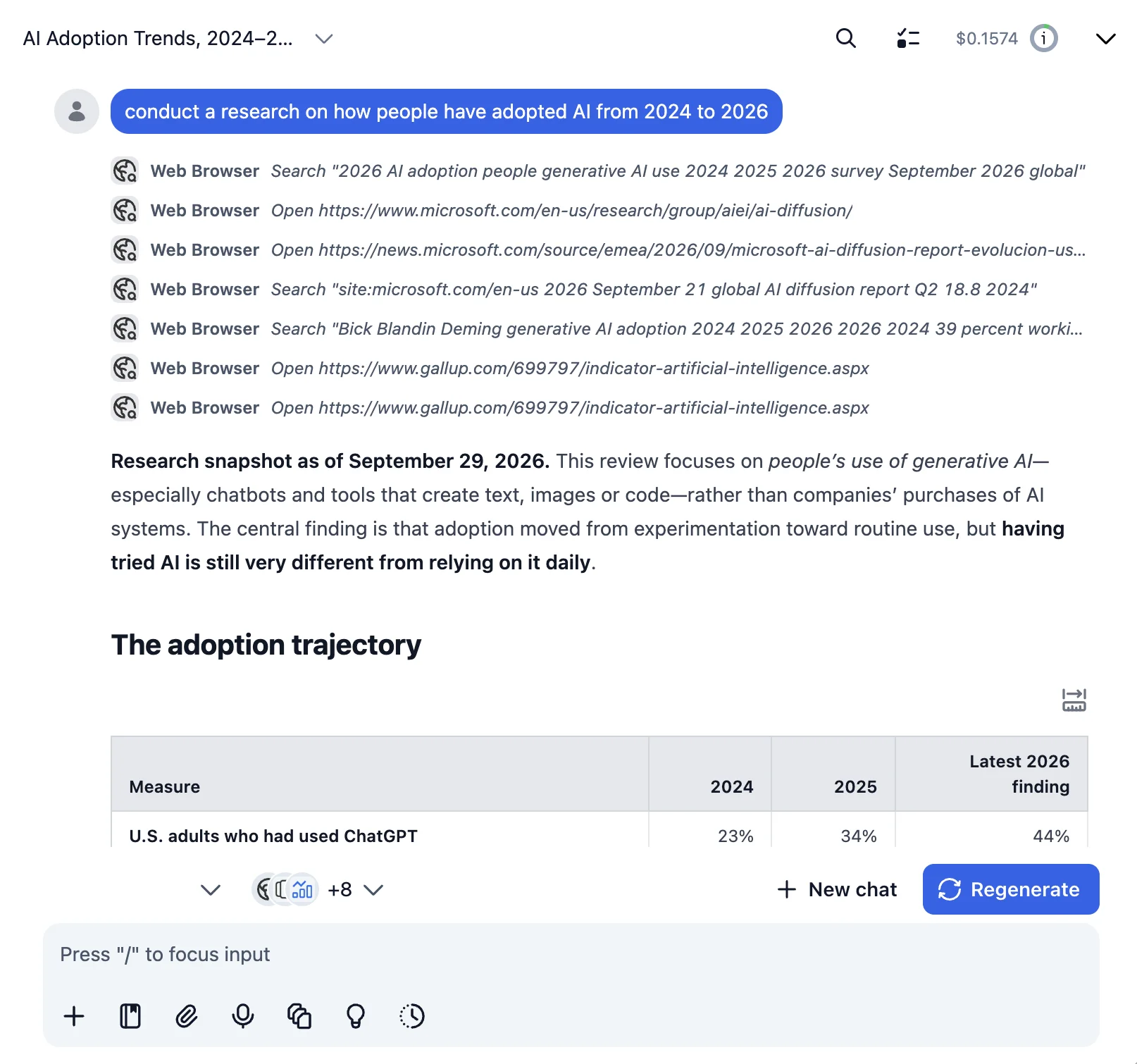
Now you can start chatting with Llama 3.3 70B through TypingMind:
- Select Llama 3.3 70B from the model dropdown menu
- Start typing your message in the chat input
- Enjoy faster responses and better features than the official interface
- Switch between different AI models as needed
💡 Pro tips for better results:
- Use specific, detailed prompts for better responses (How to use Prompt Library)
- Create AI agents with custom instructions for repeated tasks (How to create AI Agents)
- Use plugins to extend Llama 3.3 70B with web search, code execution, and more (How to use plugins)
Why TypingMind + Together AI?
Chat with Llama 3.3 70B and 200+ other models in one workspace, using your own Together AI API key.
Best-in-class UI
TypingMind's interface is far superior to standard chat UIs.
Model flexibility
Switch between Llama 3.3 70B and 200+ models instantly.
Cost control
Pay only for what you use through Together AI.
One-time purchase
Buy TypingMind once, use forever with any Together AI model.
Data privacy
Your conversations are stored locally by default, not on external servers.
Plugins, MCP, Skills & AI agents
Extend Llama 3.3 70B with web search, image generation, and custom AI agents.
Frequently Asked Questions
Do I need a subscription to use Llama 3.3 70B?
No. With your own Together AI API key, you pay only for what you use, with no monthly subscription. TypingMind is also a one-time purchase, not a subscription.
How much does it cost to use Llama 3.3 70B?
Llama 3.3 70B costs $1.04/1M input tokens and $1.04/1M output tokens via Together AI. A typical conversation costs around $0.01-0.10, depending on length.
Can I use other models besides Llama 3.3 70B?
Yes. Any model your Together AI API key can access works in TypingMind, and you can switch between it and models from other providers in the same chat.
Is my data private when using Llama 3.3 70B with TypingMind?
TypingMind stores your conversations locally (in your browser on the web version, on your device in the desktop app). Your messages are sent to Together AI with your API key, so check Together AI's data policy for how it handles API requests.
