Activepieces logo

Activepieces

OrganizationPopular
activepieces

AI Agents & MCPs & AI Workflow Automation • (~400 MCP servers for AI agents) • AI Automation / AI Agent with MCPs • AI Workflows & AI Agents • MCPs for AI Agents

Publisheractivepieces
Repositoryactivepieces
LanguageTypeScript
Forks
4.3K
Stars
24.8K
Available tools
0
Transport typestdio
Links
  • Connect tools to AI workflows

    Activepieces exposes MCP capabilities that can be used by compatible AI clients and agents.

  • 0 available tools

    Browse the callable actions below, including names and descriptions when provided by the server.

  • Ready-to-copy setup

    Use the installation snippets to configure this server in your preferred MCP client.

  • Open source signals

    24.8K stars and 4.3K forks from the linked repository.

🤯 Welcome to Activepieces

All-in-one AI automation designed to be extensible through a type-safe pieces framework written in TypeScript. When you contribute pieces to Activepieces they become automatically available as MCP servers that you can use with LLMs through Claude Desktop, Cursor or Windsurf!

🔥 Why Activepieces is Different:

  • 💖 Loved by Everyone: Intuitive interface and great experience for both technical and non-technical users with a quick learning curve.
  • 🌐 Open Ecosystem: All pieces are open source and available on npmjs.com, 60% of the pieces are contributed by the community.

  • 🛠️ Largest open source MCP toolkit: All our pieces (280+) are available as MCP that you can use with LLMs on Claude Desktop, Cursor or Windsurf.

  • 🛠️ Pieces are written in Typescript: Pieces are npm packages in TypeScript, offering full customization with the best developer experience, including hot reloading for local piece development on your machine. 😎

  • 🤖 AI-First: Native AI pieces let you experiment with various providers, or create your own agents using our AI SDK to help you build flows inside the builder.

  • 🏢 Enterprise-Ready: Developers set up the tools, and anyone in the organization can use the no-code builder. Full customization from branding to control.

  • 🔒 Secure by Design: Self-hosted and network-gapped for maximum security and control over your data.

  • 🧠 Human in the Loop: Delay execution for a period of time or require approval. These are just pieces built on top of the piece framework, and you can build many pieces like that. 🎨

  • 💻 Human Input Interfaces: Built-in support for human input triggers like "Chat Interface" 💬 and "Form Interface" 📝

🛠️ Builder Features:

  • Loops
  • Branches
  • Auto Retries
  • HTTP
  • Code with NPM
  • ASK AI in Code Piece (Non technical user can clean data without knowing to code)
  • Flows are fully versioned.
  • Languages Translations
  • Customizable Templates
  • 200+ Pieces, check https://www.activepieces.com/pieces

We release updates frequently. Check the product changelog for the latest features.

🔌 Create Your Own Piece

Activepieces supports integrations with Google Sheets, OpenAI, Discord, RSS, and over 200 other services. Check out the full list of supported integrations, which is constantly expanding thanks to our community's contributions.

As an open ecosystem, all integration source code is accessible in our repository. These integrations are versioned and published directly to npmjs.com upon contribution.

You can easily create your own integration using our TypeScript framework. For detailed instructions, please refer to our Contributor's Guide.

License

Activepieces' Community Edition is released as open source under the MIT license and enterprise features are released under Commercial License

Read more about the feature comparison here https://www.activepieces.com/pricing

💭 Join Our Community

🌐 Contributions

We welcome contributions big or small and in different directions. The best way to do this is to check this document and we are always up to talk on our Discord Server.

📚 Translations

Not into coding but still interested in contributing? Come join our Discord and visit https://www.activepieces.com/docs/about/i18n for more information.

fr translation

it translation

de translation

ja translation

pt-BR translation

🦫 Contributors

Use Activepieces MCP with multiple AI models

TypingMind connects MCP tools at the workspace level, so once Activepieces is connected, you can use it with different AI models in TypingMind instead of setting it up separately for each model. This MCP runs locally through the TypingMind MCP connector on your device.

Setup guide to use the local connector

Use this when the MCP server needs access to local files, apps, or private resources on your computer.

1

Open the MCP settings

In TypingMind, go to Settings, Advanced Settings, then Model Context Protocol and choose Setup Connector.

  1. Open TypingMind in your browser.
  2. Click the Settings icon.
  3. Go to Advanced Settings.
  4. Open the Model Context Protocol section.
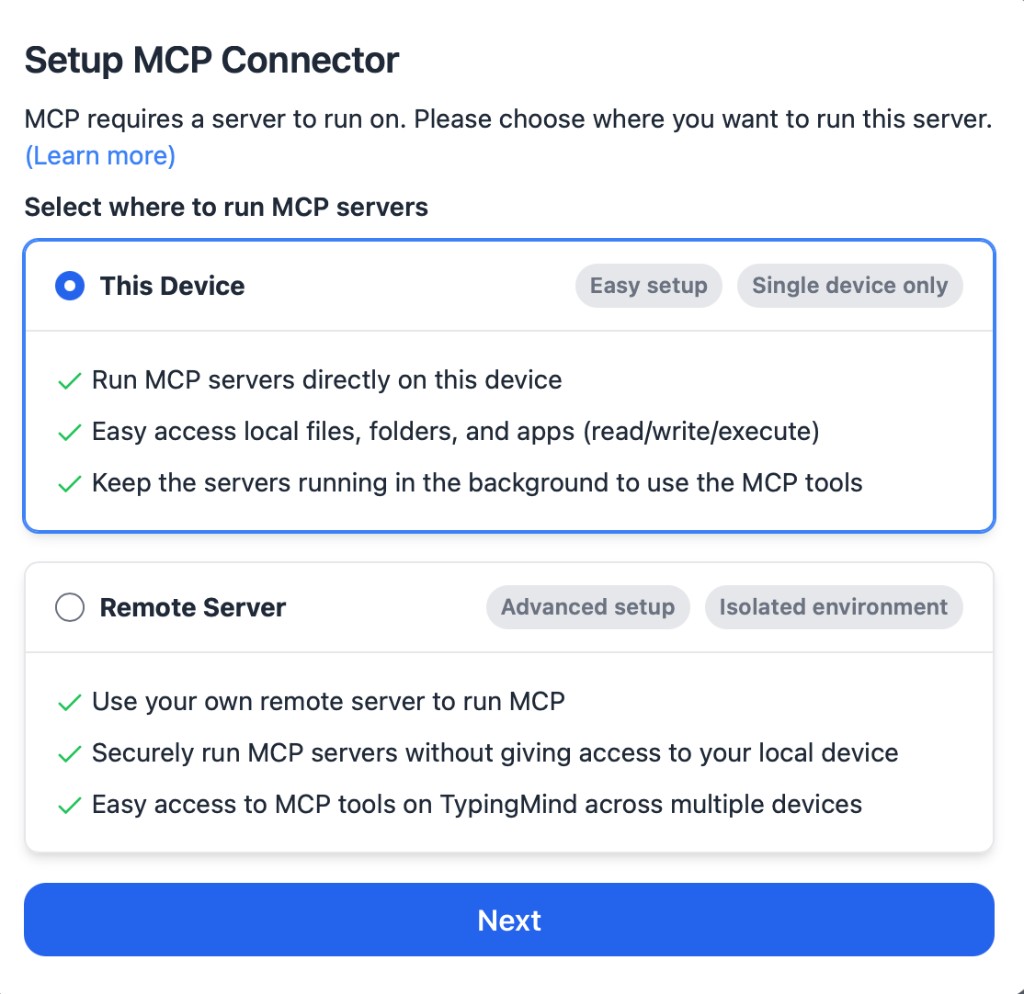
  5. Click Setup Connector and choose This Device.
TypingMind MCP connector setup screen with This Device selected
2

Run the connector command

Choose This Device, copy the command from TypingMind, and run it in Terminal. Keep the process running while you use MCP.

  1. Copy the setup command shown by TypingMind.
  2. Open Terminal on macOS or Windows Terminal on Windows.
  3. Paste and run the command.
  4. Approve the package install if Terminal asks you to proceed.
  5. Keep the Terminal window running while using MCP tools.
3

Add Activepieces as a server

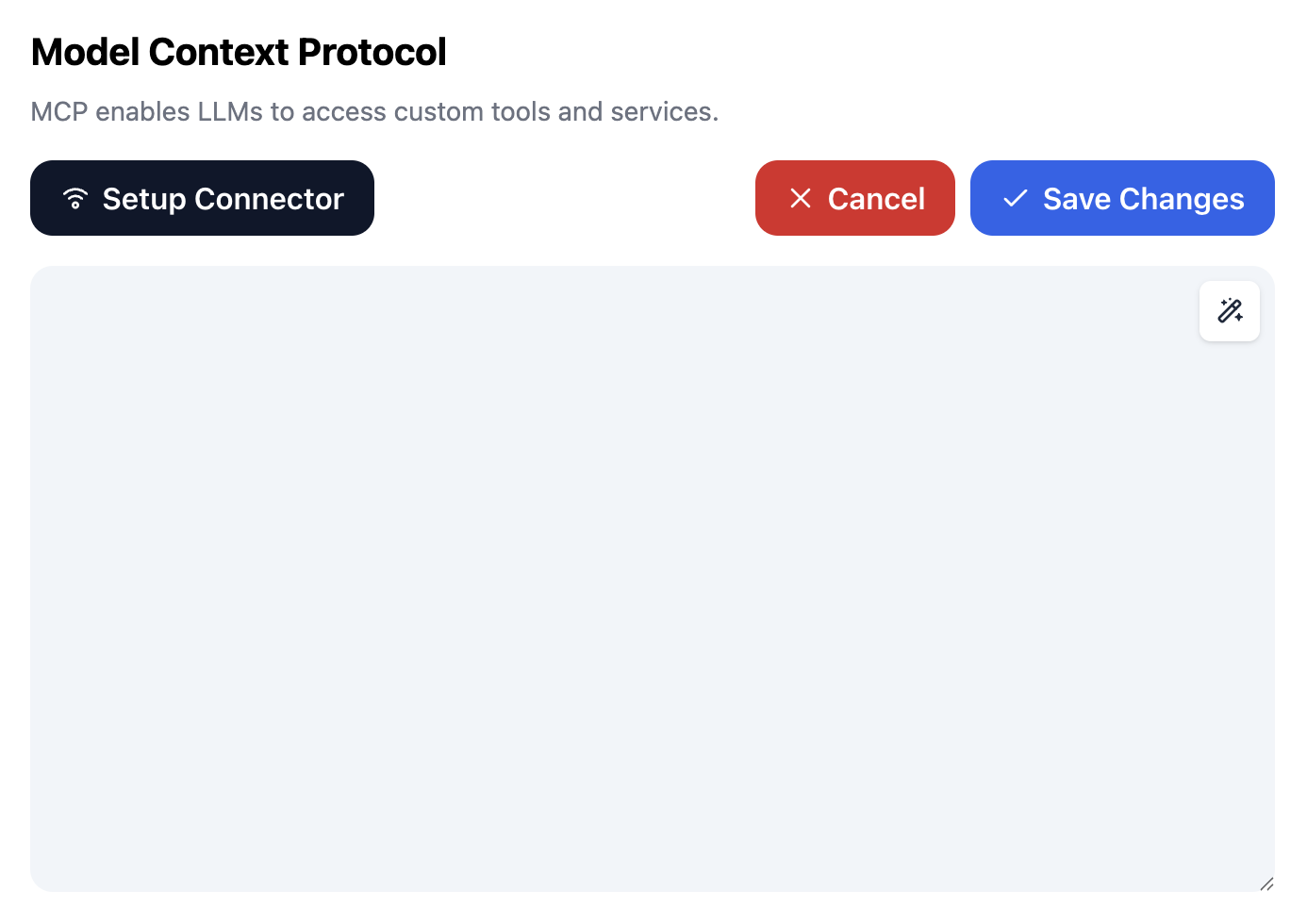
When the connector status is Ready, click Edit Servers and paste the MCP server configuration.

  1. Wait until the connector status shows Ready.
  2. Click Edit Servers.
  3. Paste the Activepieces MCP server configuration.
  4. Save the server list.
  5. Refresh if you want to confirm the connector is still ready.
TypingMind MCP settings showing active server and Edit Servers button
{
  "mcpServers": {
    "activepieces": {
      "command": "npx",
      "args": [
        "-y",
        "<mcp-server-package>"
      ]
    }
  }
}
4

Use it across models

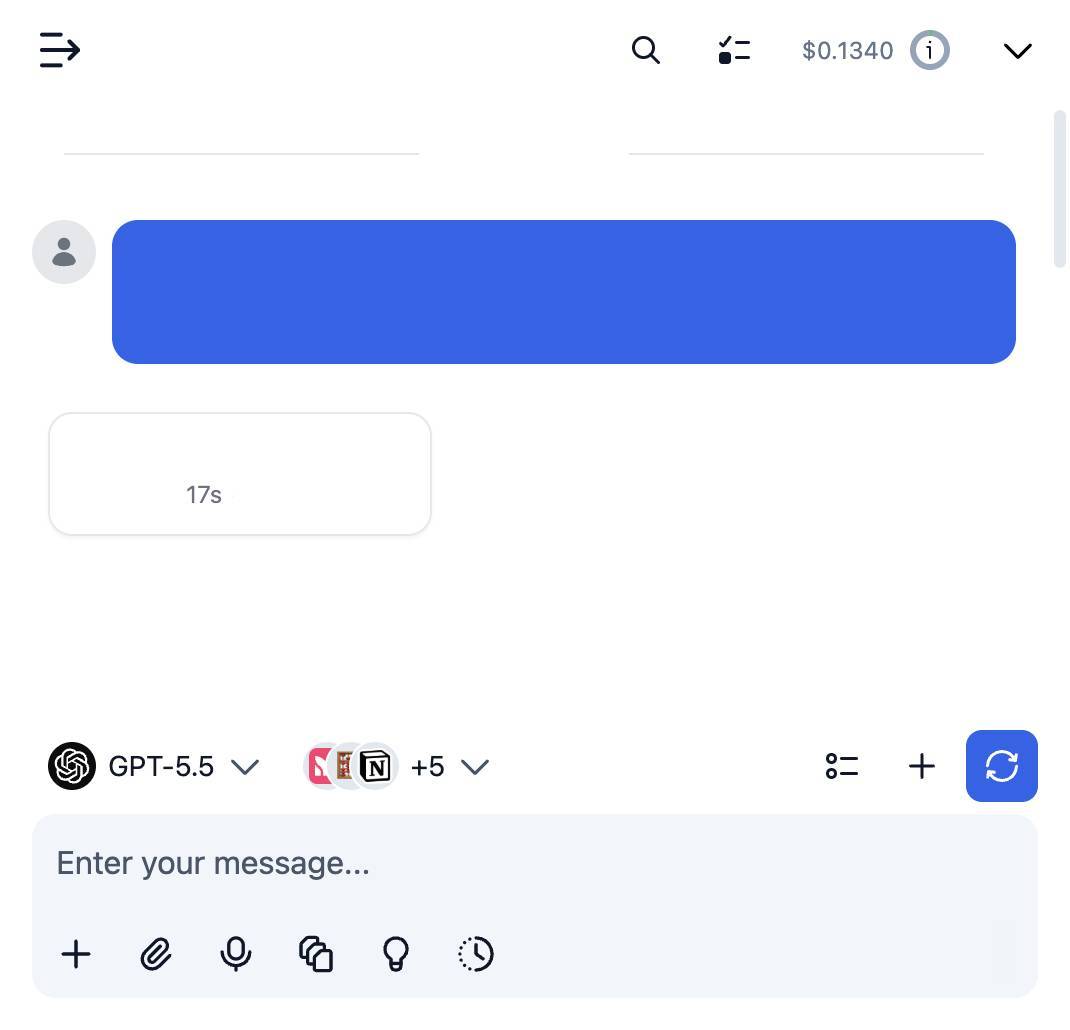
Save the server list, open Plugins, enable the Activepieces MCP tools, then select any supported AI model in TypingMind and use the tools in chat or assign them to an AI agent.

  1. Open the Plugins page in TypingMind.
  2. Enable the Activepieces MCP tools.
  3. Start a chat and choose the AI model you want to use.
  4. Use the MCP tools in chat or assign them to an AI agent.
  5. Switch to another AI model whenever needed without reconnecting MCP.
TypingMind chat using enabled MCP tools with a selected AI model
Can you use Activepieces to help me with this task?
Activepieces
Sure. I read it.
Here is what I found using Activepieces.

Frequently asked questions

What is the Activepieces MCP server used for?

Activepieces is an MCP server that lets compatible AI clients connect to external tools and context. In TypingMind, you can add this MCP server once and make its tools available in your AI workspace.

Can I use Activepieces MCP with multiple AI models in TypingMind?

Yes. TypingMind connects MCP tools at the workspace level, so you can use Activepieces with different AI models such as Claude, ChatGPT, Gemini, or other models you have configured in TypingMind without setting up the MCP server separately for each model.

Why use Activepieces MCP with TypingMind?

TypingMind is one of the best frontends for LLM chat because it brings multiple AI models, prompts, plugins, AI agents, API keys, and MCP tools into one workspace. With Activepieces connected, you can use its MCP tools across your preferred models while keeping your chat workflow organized in TypingMind.

How do I connect Activepieces MCP to TypingMind?

Activepieces runs through the TypingMind local MCP connector. This is best when the MCP server needs access to local files, desktop apps, command-line tools, or private resources on your computer.

What tools does Activepieces MCP provide in TypingMind?

Activepieces exposes MCP capabilities that can be enabled from the TypingMind Plugins page and used in chat or assigned to AI agents.

Do I need to share my API keys with TypingMind to use Activepieces MCP?

No. TypingMind is local-first and lets you keep your model providers, API keys, prompts, and MCP configuration under your control. If Activepieces requires authentication, add the required headers, OAuth settings, or local configuration for that MCP server when you create the connection.

Related MCP Servers

View all

Set up your own AI workspace now

Get notified about new features and future giveaways by subscribing to our newsletter 👇