A股赛博操盘手 🤖📈
AI 原生的 A 股智能投资助手——赛博操盘手 —— 基于tushare构建的本地财经库。支持历史数据与实时数据的多Agent协同架构,为个人投资者提供专业级的股票分析、智能选股、投资组合管理、策略回测、AI 生成量化策略能力。
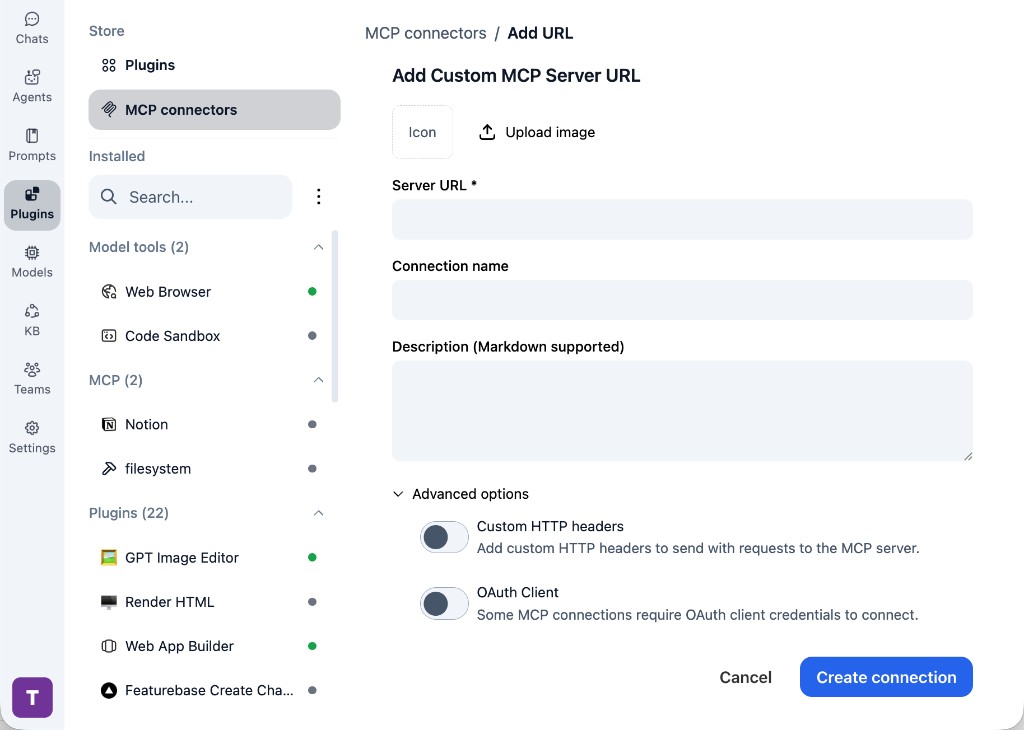
原生支持 MCP 与 SKILL。可作为 DeepSeek Harness(dsh) 的官方 MCP 数据源,并支持命令行、网页、API、OpenClaw、PicoClaw 等多种交互。
🧭 DeepSeek Harness
本仓库给 DeepSeek Harness 提供行情 / 财务查询:dsh 跑 Agent 循环,这里只当 MCP 数据服务。
不要把 PicoClaw 用的 http://localhost:8001/messages 配进 dsh(那是自研 JSON-RPC,不是官方 Streamable HTTP)。用仓库自带的 overlay:
bashexport STOCK_DATASOURCE_ROOT=/absolute/path/to/stock_datasource # `--patch` 必须写在 `--no-open` / `--port` 前面 dsh web --patch "$STOCK_DATASOURCE_ROOT/integrations/dsh/stock.cordis.yml"
模型只看到两个工具,避免上百个插件查询撑爆上下文:
| dsh 工具 | 作用 |
|---|---|
mcp__stock__stock_list_tools | 按分类 / 关键词发现查询 |
mcp__stock__stock_call_tool | 按返回的 name 调用,结果自动截断 |
会话里可以直接问:「用 stock 工具查 600519.SH 最近几个交易日收盘价」。HTTP 备选入口、截断参数与工具约定见 DeepSeek Harness 接入。
📱 PicoClaw 微信联动能力
通过集成 PicoClaw,系统可以把股票分析、行情问答与实时订阅能力直接延伸到微信场景实现随时盯盘:启动服务后自动拉起微信登录二维码,完成绑定后即可在微信里查询股票数据、订阅行情、承接 AI 投顾工作流。
- 微信扫码即连:前端直接展示登录二维码,完成绑定更顺滑
- 微信内直接问股:把财报分析、热点新闻、个股研究带到日常聊天场景
- Claw 能力外延:让项目里的 MCP / Agent 能力以更自然的方式触达到终端用户


🧠 AI 原生能力
Agent 中心 — 可配置化 AI 平台
系统已从硬编码Agent架构升级为可配置化Agent平台。所有Agent通过数据库管理,用户可自定义Agent的提示词、技能和执行引擎。
核心概念
| 概念 | 说明 |
|---|---|
| Agent | 一个可配置的AI单元,由系统提示词 + 技能 + 模型配置 + Runtime定义 |
| Agent Team | 多个Agent组成的协作团队,支持最多3层汇报层级 |
| Runtime | Agent的执行引擎:LangGraph(本地)/ Claude CLI / CodeBuddy CLI |
| Skill | Agent可使用的能力:平台MCP工具 / 用户Skills / 项目Skills |
Agent Team 层级架构(以哨兵智能选股为例)
┌─────────────────────────────────────────────────┐ │ Tier 3 · 决策层 │ │ [技术面专家] [价值投资专家] │ │ 综合研判 → 输出选股结果 │ └─────────────────────▲───────────────────────────┘ │ 汇报 ┌─────────────────────┴───────────────────────────┐ │ Tier 2 · 分析层 │ │ [选股专家] │ │ 结合大盘+板块信号筛选标的 │ └─────────────────────▲───────────────────────────┘ │ 汇报 ┌─────────────────────┴───────────────────────────┐ │ Tier 1 · 执行层 │ │ [行情分析师] [板块轮动分析师] │ │ 并行采集大盘趋势 + 热门板块 │ └─────────────────────▲───────────────────────────┘ │ 用户指令
内置 Agent(10个,全局可见)

| Agent | 职责 | 技能 |
|---|---|---|
| 💬 通用对话助手 | 一般问答 | — |
| 📈 行情分析师 | K线/技术指标/趋势 | 日线行情、最新行情 |
| 🔍 选股专家 | 多维度条件筛选 | 估值数据、行情数据 |
| 📊 财报分析师 | 财务报表深度分析 | 估值数据 |
| 📐 技术面专家 | 技术指标与形态 | 日线数据 |
| 💎 价值投资专家 | 巴菲特式价值分析 | 估值+行情 |
| 🔄 板块轮动分析师 | 行业轮动判断 | 行情+估值 |
| 📰 新闻分析师 | 财经新闻解读 | — |
| 📉 指数分析师 | 大盘指数分析 | 最新行情 |
| 🏦 ETF分析师 | ETF选择与配置 | — |
内置 Agent Team(6个)
| Team | Agent链路 | 用途 |
|---|---|---|
| 哨兵智能选股 | 行情分析师→板块轮动→选股专家→技术面+价值投资→综合 | 完整选股链路 |
| 个股全面体检 | 财报+技术面+价值+新闻 → 综合诊断 | 4维并行分析个股 |
| 行业深度研究 | 行情+板块轮动 → 新闻分析 | 板块趋势研判 |
| 单股深度分析 | 财报分析师 → 技术面专家 | 基本面+技术面 |
| 价值投资筛选 | 选股专家 → 价值投资专家 | 低估值筛选 |
| 板块轮动扫描 | 板块轮动分析师 | 单Agent快速扫描 |
Runtime 支持

| Runtime | 说明 | 自动探测 |
|---|---|---|
| LangGraph | 本地框架,调用LLM API + MCP工具 | 内置 |
| Claude Code | Anthropic CLI Agent | 探测 claude 命令 |
| CodeBuddy | 腾讯AI编程助手 | 探测 codebuddy 命令 |
技能来源
- 平台工具 (54个):MCP Server自动发现的TuShare数据工具
- 用户Skills (220+):
~/.claude/skills/+~/.codebuddy/skills/自动扫描 - 项目Skills (5个):
skills/目录下的SKILL.md定义 | DeepAgent | 深度研究 | 多轮深度分析、复杂研究任务 | | WorkflowAgent | 工作流执行 | 编排多步骤工作流任务 | | WorkflowGeneratorAgent| 工作流生成 | AI 自动生成工作流定义 | | ChatAgent | 通用对话 | 其他投资相关问题、AI工作流调用 |
Agent 安全中间件
| 中间件 | 功能 |
|---|---|
| CrossValidationMiddleware | 交叉验证,确保 AI 输出一致性 |
| GuardrailMiddleware | 安全护栏,防止违规输出 |
| LoopDetectionMiddleware | 循环检测,防止 Agent 陷入死循环 |
| MemoryInjectionMiddleware | 记忆注入,自动携带用户上下文 |
| SummarizationMiddleware | 自动摘要,长对话压缩 |
核心 AI 能力
- 🎯 智能意图识别:自动理解用户自然语言,精准路由到对应 Agent,支持并发执行和 Agent 间交接
- 🛡️ Agent 安全中间件:交叉验证、安全护栏、循环检测、记忆注入、自动摘要,保障 AI 输出质量和系统稳定性
- 🔧 Function Calling:每个 Agent 配备专业工具集,精准调用数据接口
- 💬 流式响应:实时展示 AI 思考过程和工具调用状态
- 🔗 会话记忆:支持多轮对话,保持上下文连贯
- 📊 Langfuse 可观测:完整的 AI 调用链路追踪、Token 统计、性能分析
- 🧭 DeepSeek Harness:官方 MCP stdio / Streamable HTTP,两层目录工具对接
dsh - 🔌 MCP Server:支持 Claude Code、Cursor、PicoClaw 等(
8001/messages)
可AI拓展的数据采集能力
我们定义了一套 Skill 可以一键基于 Tushare 的文档生成插件代码,插件是我们整套系统的数据采集基础,可以方便地扩展新的数据源和数据表。每个插件包括数据采集、数据清洗、数据入库等功能模块,并提供统一的 HTTP 接口与 MCP Tool 给 Agent 调用。当然也支持除 Tushare 之外的 AKShare、Baostock 等数据源。

🔍 数据探索中心
可视化浏览所有插件数据表,支持 SQL 查询、数据预览、导出等功能:
- 数据表浏览:按分类查看所有插件数据表(A股、港股、指数、ETF等)
- SQL 查询:在线执行 SQL,支持语法高亮和自动补全
- 数据导出:支持 CSV、Excel、JSON 格式导出
- SQL 模板:保存常用查询模板,方便复用

📊 AI 财报分析中心
专业级财报分析平台,支持 A股/港股 财报浏览与 AI 深度分析:
- 公司列表:支持按市场、行业筛选,关键词搜索
- 财报浏览:查看历史财报列表,快速定位报告期
- 双模式 AI 分析:
- ⚡ 快速规则分析:基于预设规则引擎,秒级出结果
- 🤖 AI 大模型深度分析:调用 LLM 深度分析,约 10-60 秒,洞察更深
- 分析历史:保存分析记录,支持对比查看

🇭🇰 港股数据获取
系统支持港股日线数据的自动采集,使用 AKShare 作为数据源(免费、无权限限制)。
快速开始
bash# 1. 确保港股基础数据已加载 uv run cli.py load-hk-basic # 2. 获取所有港股最近一年的历史日线数据 uv run scripts/fetch_hk_daily_from_akshare.py # 3. 测试模式(仅获取前10只股票) uv run scripts/fetch_hk_daily_from_akshare.py --max-stocks 10
数据更新
建议每日收盘后更新最新数据:
bash# 更新最近3天的数据 uv run scripts/fetch_hk_daily_from_akshare.py \ --start-date $(date -d "3 days ago" +%Y%m%d) \ --end-date $(date +%Y%m%d)
数据统计
- 股票覆盖:2,700+ 只港股
- 时间范围:最近一年历史数据
- 数据字段:开盘价、最高价、最低价、收盘价、成交量、涨跌幅等
- 数据源:AKShare(免费、无限制)
注意事项
- 数据完整性:每只股票数据获取后立即入库,确保数据不丢失
- 错误处理:约 0.7% 的股票可能因退市、新上市等原因获取失败,属于正常现象
- 智能选股:港股数据已集成到智能选股系统,支持港股筛选和分析
- 性能:全量获取约 2,700 只股票需 40-45 分钟
详细文档请参考 港股日线数据迁移总结。
哨兵选股系统
基于Agent Team的异常驱动选股,支持SSE流式可观测:
- 执行扫描:实时展示9个数据哨兵逐个扫描进度
- 分层汇报:哨兵告警 → 分析师研判 → LLM综合决策
- 完整链路:大盘研判→板块轮动→智能筛选→技术确认→价值把关
✨ 核心特性
📊 智能选股系统
- 实时行情展示:分页展示全市场股票,支持排序和搜索
- 多维度筛选:PE、PB、市值、涨跌幅、换手率等多条件组合
- AI 辅助选股:自然语言描述条件,AI 自动生成筛选策略

📈 专业行情分析
- K 线图表:交互式 K 线,支持多种技术指标
- 趋势分析:均线系统、MACD、RSI 等技术分析
- 估值分析:PE、PB、市值等基本面指标


💼 投资组合管理
- 持仓跟踪:实时计算持仓盈亏
- 风险分析:波动率、最大回撤等风险指标
- 收益归因:分析收益来源
- AI 基于个人持仓定期分析
智能对话
实时展示Agent的思考与工具调用过程,实时渲染相关技术指标图


🔄 策略回测
- 可视化回测:图表展示策略表现
- 多策略支持:均线、动量、价值等策略模板
- 参数优化:自动寻找最优参数
- 多AI Agent对抗寻找最佳策略

📊 量化选股系统
- 全市场初筛:多因子模型初筛候选标的
- RPS 排名:相对强度排名筛选强势股
- 深度分析:基本面 + 技术面多维度综合评分
- 交易信号:基于量化模型自动生成买卖信号
- 模型配置:自定义因子权重和参数
知识库集成(可选配置)
使用Weknora开源知识库,需要手动配置 基于该知识库实现将财报内容存入知识库用于后续分析
📰 新闻资讯中心
- 实时新闻:自动抓取财经新闻,情绪分析
- 热点追踪:追踪市场热点板块和概念
- 新闻筛选:按情绪、板块、来源过滤
🤖 多 Agent 竞技场
- 策略对抗:多个 Agent 执行不同策略,对比表现
- 淘汰赛制:自动淘汰弱势策略,留存强策略
- 可视化分析:收益曲线对比、雷达图评分
🔔 异动预警 & 龙虎榜
- 实时异动监控:涨跌停、放量突破等异动自动告警
- 龙虎榜数据:每日龙虎榜详情、机构席位追踪
- AI 异动解读:AI 自动分析异动原因和后续走势
📡 实时行情 & 微信联动
- 实时分钟线:盘中实时推送 K 线数据
- 微信桥接(PicoClaw):扫码绑定微信,随时查股、接收行情推送
- 策略工作台:可视化配置策略参数,一键运行回测
🚀 快速开始
方式一:Docker 一键部署(推荐新用户)
适合没有现成 ClickHouse/Redis 的用户,所有基础设施由 docker-compose 一起启动。
bash# 1. 克隆项目 git clone https://github.com/Yourdaylight/stock_datasource.git cd stock_datasource # 2. 安装依赖 curl -LsSf https://astral.sh/uv/install.sh | sh uv sync # 3. 交互式配置向导(自动验证 Tushare/LLM/数据库连通性,生成 .env) uv run cli.py setup # 4. 一键启动全部服务(ClickHouse + Redis + 后端 + 前端) uv run cli.py server start --docker --with-infra # 5. 初始化数据 docker compose exec backend bash -c " uv run python cli.py init-db && uv run python cli.py load-stock-basic && uv run python cli.py load-trade-calendar --start-date 20240101 --end-date 20261231 "
访问:前端 http://localhost:18080 | API 文档 http://localhost:18080/docs
已有 ClickHouse/Langfuse?运行
setup时选择自定义地址,向导会自动验证连通性。
Docker 日常运维:
bashuv run cli.py server start --docker # 启动 uv run cli.py server stop --docker # 停止 uv run cli.py server restart --docker # 重启 uv run cli.py server status --docker # 查看状态
方式二:本地开发部署
适合开发调试,需要本地安装依赖。
bash# 1. 克隆项目 & 安装依赖 git clone https://github.com/Yourdaylight/stock_datasource.git cd stock_datasource curl -LsSf https://astral.sh/uv/install.sh | sh uv sync cd frontend && npm install && cd .. # 2. 启动基础设施(Docker 仅启动 ClickHouse + Redis) docker compose -f docker-compose.infra.yml up -d clickhouse redis # 3. 交互式配置(自动创建 .env 并验证所有连通性) uv run cli.py setup # 4. 环境健康检查(一键诊断 6 项依赖) uv run cli.py doctor # 5. 初始化数据库 uv run cli.py init-db uv run cli.py load-stock-basic uv run cli.py load-trade-calendar --start-date 20240101 --end-date 20261231 # 6. 一键启动所有服务(后端 + MCP + 前端,后台运行) uv run cli.py server start
访问:前端 http://localhost:5173 | API 文档 http://localhost:6666/docs
日常开发命令:
bashuv run cli.py server restart # 重启所有服务 uv run cli.py server stop -s backend # 仅停止后端 uv run cli.py server status # 查看服务状态 uv run cli.py doctor # 环境健康检查 uv run cli.py config show # 查看配置(密钥脱敏) uv run cli.py config set OPENAI_MODEL=gpt-4o # 修改配置项
数据采集:
bash# A股/ETF/指数日线 uv run cli.py ingest-daily --date 20250119 # 采集单日 uv run cli.py backfill --start-date 20250101 --end-date 20250119 # 区间回补 # 港股 uv run cli.py load-hk-stock-list # 加载港股列表 uv run cli.py load-hk-daily --symbol 00700 --start-date 20250101 # 采集单只 # 通用插件运行 uv run cli.py run-plugin tushare_daily --trade-date 20250119 # 运行指定插件 uv run cli.py list-plugins # 查看所有插件
🛠️ CLI 工具一览
系统提供了完整的命令行工具,覆盖配置、部署、数据采集全流程:
| 命令 | 说明 |
|---|---|
uv run cli.py setup | 交互式配置向导(自动验证连通性) |
uv run cli.py doctor | 环境健康检查(ClickHouse/Redis/Tushare/LLM/Proxy) |
uv run cli.py server start/stop/restart/status | 服务生命周期管理 |
uv run cli.py config show/set | 查看/修改配置(密钥自动脱敏) |
uv run cli.py init-db | 初始化数据库表结构 |
uv run cli.py ingest-daily | 采集单日数据 |
uv run cli.py backfill | 区间数据回补 |
uv run cli.py run-plugin <name> | 运行任意数据插件 |
uv run cli.py list-plugins | 查看所有已注册插件 |
uv run cli.py proxy status/set/test | 代理配置管理 |
uv run cli.py task list/stats/cancel | 任务队列管理 |
详细用法请参考 CLI 使用指南。
🔌 MCP Server 集成
系统提供 MCP (Model Context Protocol) Server,可集成到 Claude Code、Cursor 等 AI IDE:
启动 MCP Server
bash# Docker Compose 部署: MCP 进程随 backend 容器一起启动,对外仍暴露 8001 端口 docker compose up -d backend frontend worker # 本地非 Docker 调试: 仍可单独启动 MCP 进程 uv run python -m stock_datasource.services.mcp_server
配置 AI IDE
在 Claude Code 或 Cursor 中添加配置:
json{ "mcpServers": { "stock_datasource": { "url": "http://localhost:8001/messages", "transport": "streamable-http" } } }
8001/messages是给 PicoClaw / 部分 IDE 使用的自研 HTTP JSON-RPC,不要配进 DeepSeek Harness。dsh请用文首 DeepSeek Harness 小节的 overlay,详见 DeepSeek Harness 接入。
🔓 开放 API 网关(Open API Gateway)
系统提供标准 HTTP 数据查询接口,复用 MCP API Key 认证体系,让外部用户可通过 curl / Python / 任何 HTTP 客户端查询数据。
安全边界:仅开放 Plugin 数据查询接口(纯数据库查询),AI/管理/用户隐私路由一律不开放。
快速使用
bash# 1. 在前端「个人中心」创建 API Key (sk-xxx) # 2. 调用开放数据接口 curl -X POST http://localhost:18080/api/open/v1/tushare_daily/query \ -H "Authorization: Bearer sk-YOUR_API_KEY" \ -H "Content-Type: application/json" \ -d '{"trade_date": "20250301", "ts_code": "600519.SH"}' # 3. 查看已开放的接口文档 curl http://localhost:18080/api/open/docs \ -H "Authorization: Bearer sk-YOUR_API_KEY"
核心特性
- 认证机制:复用 MCP API Key (
sk-xxx),支持 Header 和 Query 两种传入方式 - 访问策略:每个接口独立控制启用/禁用、速率限制、最大返回记录数
- 速率限制:滑动窗口算法,按分钟(默认 60/min)和按天(默认 10000/day)两维度
- 响应截断:超出最大记录数自动截断(默认 5000 条)
- 用量追踪:每次调用记录到 ClickHouse
api_usage_log表 - 管理面板:管理员在
/api-access页面配置可开放接口
可开放接口范围
| 类别 | 示例 | 状态 |
|---|---|---|
| A股日线 | /api/open/v1/tushare_daily/query | 需手动启用 |
| ETF日线 | /api/open/v1/tushare_etf_fund_daily/query | 需手动启用 |
| 港股日线 | /api/open/v1/akshare_hk_daily/query | 需手动启用 |
| 股票基本信息 | /api/open/v1/tushare_stock_basic/query | 需手动启用 |
| 财务报表 | /api/open/v1/tushare_income/query | 需手动启用 |
| 其他插件 | 全部 77 个数据插件 | 需手动启用 |
绝对不开放的接口:
/auth/*、/chat/*、/datamanage/*、/portfolio/*、/memory/*、/mcp_api_key/*等系统/管理/AI路由。
🏗️ 系统架构
┌────────────────────────────────────────────────────────────────────────┐ │ 前端 (Vue 3 + TypeScript + TDesign) │ │ ┌──────────┐ ┌──────────┐ ┌──────────┐ ┌──────────┐ ┌───────────┐ │ │ │ 智能对话 │ │ 行情中心 │ │Agent中心 │ │ 量化选股 │ │ 数据管理 │ │ │ │ (Chat) │ │(行情/指数 │ │ Agent管理│ │ (Quant) │ │ │ │ │ │ │ │ /ETF) │ │Agent Teams│ │ │ │ │ │ │ │ │ │ │ │ Runtime │ │ │ │ │ │ │ │ │ │ │ │ 哨兵选股 │ │ │ │ │ │ │ └────┬─────┘ └────┬─────┘ └────┬─────┘ └────┬─────┘ └─────┬─────┘ │ └───────┼────────────┼────────────┼────────────┼─────────────┼──────────┘ │ │ │ │ │ ▼ ▼ ▼ ▼ ▼ ┌────────────────────────────────────────────────────────────────────────┐ │ API Layer (FastAPI) │ │ │ │ ┌──────────────────────────────────────────────────────────────────┐ │ │ │ Agent 执行引擎 │ │ │ │ │ │ │ │ ┌─────────────┐ ┌─────────────┐ ┌─────────────────────────┐ │ │ │ │ │ LangGraph │ │ Claude CLI │ │ CodeBuddy CLI │ │ │ │ │ │(本地LLM+MCP)│ │ (subprocess)│ │ (subprocess) │ │ │ │ │ └──────┬──────┘ └──────┬──────┘ └───────────┬─────────────┘ │ │ │ │ │ │ │ │ │ │ │ └────────────────┴──────────────────────┘ │ │ │ │ │ │ │ │ │ ┌────────────────▼────────────────┐ │ │ │ │ │ Agent Configs (ClickHouse) │ │ │ │ │ │ 10 内置 + 用户自定义 │ │ │ │ │ └────────────────┬────────────────┘ │ │ │ │ │ │ │ │ │ ┌────────────────▼────────────────┐ │ │ │ │ │ Agent Teams (层级编排) │ │ │ │ │ │ Tier1→Tier2→Tier3 汇报链路 │ │ │ │ │ └─────────────────────────────────┘ │ │ │ └──────────────────────────────────────────────────────────────────┘ │ │ │ │ ┌─────────────────┐ ┌──────────────────┐ ┌─────────────────────┐ │ │ │ Skills (MCP) │ │ Sentinel System │ │ Open API Gateway │ │ │ │ 54平台工具 │ │ 哨兵扫描(SSE) │ │ /api/open/v1/* │ │ │ │ 220用户Skills │ │ 9哨兵+4分析师 │ │ │ │ │ └─────────────────┘ └──────────────────┘ └─────────────────────┘ │ └─────────────────┬──────────────────┬──────────────────┬───────────────┘ │ │ │ ▼ ▼ ▼ ┌───────────────────┐ ┌─────────────────┐ ┌────────────────────┐ │ LLM Provider │ │ ClickHouse │ │ Redis │ │ DeepSeek/GPT/.. │ │ A股全量数据 │ │ 缓存 & 队列 │ └───────────────────┘ └─────────────────┘ └────────────────────┘
技术栈
| 层级 | 技术 |
|---|---|
| 前端 | Vue 3, TypeScript, TDesign, ECharts, Pinia |
| 后端 | Python 3.12, FastAPI, LangGraph, uv |
| Agent | 可配置Agent + 层级Team编排 + 多Runtime支持 |
| 数据库 | ClickHouse(列式存储,Agent配置+金融数据) |
| 缓存 | Redis(会话缓存、数据缓存) |
| 数据源 | TuShare Pro(A股)、AKShare(港股/实时)、同花顺指数 |
| AI | DeepSeek V4 Pro / GPT-4o,Function Calling |
| Runtime | LangGraph + Claude CLI + CodeBuddy CLI |
| 可观测 | Langfuse + 哨兵扫描SSE流式 |
📁 项目结构
stock_datasource/ ├── src/stock_datasource/ │ ├── models/ │ │ ├── agent_config.py # Agent配置Pydantic模型(含Runtime/ModelConfig) │ │ ├── orchestration.py # Agent Team/Pipeline模型 │ │ └── database.py # ClickHouse客户端 │ ├── services/ │ │ ├── agent_config_service.py # Agent CRUD (ClickHouse持久化) │ │ ├── orchestration_service.py # Team/Pipeline CRUD │ │ ├── orchestration_engine.py # DAG执行引擎(多Runtime分发) │ │ ├── skill_registry.py # 技能注册中心 │ │ ├── mcp_server.py # MCP工具服务(8001 / PicoClaw) │ │ ├── mcp_dsh.py # DeepSeek Harness MCP(stdio / 8002) │ │ ├── mcp_catalog.py # dsh 两层目录工具 │ │ └── http_server.py # FastAPI入口 │ ├── modules/ # 功能模块(28个) │ │ ├── agent_management/ # Agent管理API(CRUD+Skills+Runtime探测) │ │ ├── orchestration/ # Agent Team编排API │ │ ├── sentinel/ # 哨兵系统(SSE流式扫描) │ │ ├── chat/ # 智能对话 │ │ ├── auth/ # 认证 │ │ ├── market/ # 行情 │ │ ├── screener/ # 选股 │ │ ├── portfolio/ # 持仓 │ │ ├── quant/ # 量化 │ │ └── ... │ ├── agents/ # Agent执行层(LangGraph集成) │ │ ├── orchestrator.py # OrchestratorAgent(Chat调度) │ │ ├── base_agent.py # Agent基类 │ │ └── middlewares/ # 安全中间件 │ └── plugins/ # TuShare数据采集插件(77个) ├── frontend/src/ │ ├── views/ │ │ ├── chat/ # 智能对话(含Agent Teams快捷入口) │ │ ├── agent-management/ # Agent管理 + Runtime管理 │ │ ├── orchestration/ # Agent Teams编辑器(3层层级) │ │ ├── sentinel/ # 哨兵选股(SSE可观测) │ │ ├── market/ # 行情分析 │ │ └── ... │ ├── api/ │ │ ├── agent.ts # Agent API客户端 │ │ ├── orchestration.ts # Team API客户端 │ │ └── sentinel.ts # 哨兵API客户端 │ └── App.vue # 菜单布局(Agent中心二级菜单) ├── skills/ # 项目级SKILL.md定义 └── data/ # 运行时数据
🧪 测试
bash# 运行所有测试 uv run pytest tests/ # 测试 Chat对话 curl -X POST http://localhost:6688/api/chat/stream \ -H "Authorization: Bearer $TOKEN" \ -H "Content-Type: application/json" \ -d '{"session_id": "test", "content": "今日大盘走势如何"}' # 测试 Agent Team执行 curl -X POST http://localhost:6688/api/orchestrations/{team_id}/execute \ -H "Authorization: Bearer $TOKEN" \ -H "Content-Type: application/json" \ -d '{"input_data": {"message": "帮我选3只低估值成长股"}}' # 测试哨兵扫描(SSE流式) curl -N -X POST http://localhost:6688/api/sentinel/scan/stream \ -H "Authorization: Bearer $TOKEN"
📚 文档
🔧 常见问题
Q: Docker 启动后前端访问不了?
检查端口配置 APP_PORT,确保没有被占用。查看日志 docker-compose logs frontend。
Q: AI 返回错误 "Invalid API key"?
检查 .env.docker 中的 OPENAI_API_KEY 是否正确配置,然后重建容器:
bashdocker-compose build backend && docker-compose up -d backend
Q: 如何使用国产大模型?
修改 .env 中的配置:
envOPENAI_BASE_URL=https://api.model.haihub.cn/v1 OPENAI_MODEL=DeepSeek-V4-Pro OPENAI_API_KEY=your-api-key
支持的模型:DeepSeek-V4-Pro, DeepSeek-V3, DeepSeek-R1, GPT-4o, GPT-4o-mini 等。
Q: 数据采集失败?
确保 TuShare Token 有效且有足够积分。可通过 uv run cli.py doctor 检查所有依赖连通性。
📄 许可证
MIT License
🤝 贡献
欢迎提交 Issue 和 Pull Request!
- Fork 本仓库
- 创建特性分支 (
git checkout -b feature/AmazingFeature) - 提交更改 (
git commit -m 'Add some AmazingFeature') - 推送到分支 (
git push origin feature/AmazingFeature) - 开启 Pull Request