
 TypingMind×
 Ernie-4.5
How to run Ernie-4.5 locally with LM Studio as private, self-hosted AI
Run Ernie-4.5 from Baidu as your own private, self-hosted AI. LM Studio runs the model on your computer, and TypingMind gives you a full chat app on top of it. Your prompts stay on your machine, and there is no per-message cost.
About Ernie-4.5: Medium-size Mixture-of-Experts model from Baidu's new Ernie 4.5 line of foundation models.
Ernie-4.5 Overview
| Model | Ernie-4.5 |
| Made by | Baidu |
| Runs on | LM Studio |
| Versions | ernie-4.5-21b-a3b |
| Download size | 12 GB |
| Minimum RAM | 12 GB |
| License | ERNIE 4.5 is Apache 2.0 licensed. |
| LM Studio command | lms get baidu/ernie-4.5-21b-a3b |
| Downloads on LM Studio | 29.6K |
| Model icon | Get the icon for TypingMind |
Which version of Ernie-4.5 should you pick?
Each version is a different size of Ernie-4.5. Bigger versions give better answers but need more memory. Pick the biggest one that fits your computer's RAM. On a Mac, memory is shared with the graphics chip, so leave some room for other apps.
| Model ID | Download | Suggested RAM |
|---|---|---|
baidu/ernie-4.5-21b-a3bused in this guide | 12.00 GB | 24 GB |
Suggested RAM is a rough guide: the download size plus about 2 GB, with room for your system. Longer context windows use more.
Run Ernie-4.5 with LM Studio
The steps below use baidu/ernie-4.5-21b-a3b, a version that fits most laptops. Swap in another model ID from the table if you want a smaller or bigger one.
Install LM Studio
LM Studio is a free desktop app that runs AI models on your own computer. It downloads Ernie-4.5, loads it into memory, and answers requests on your machine through a local server.
- Download LM Studio for macOS, Windows, or Linux from lmstudio.ai/download and open it.
- On first launch, LM Studio offers to download a starter model. You can let it, or skip and download Ernie-4.5 in the next step.
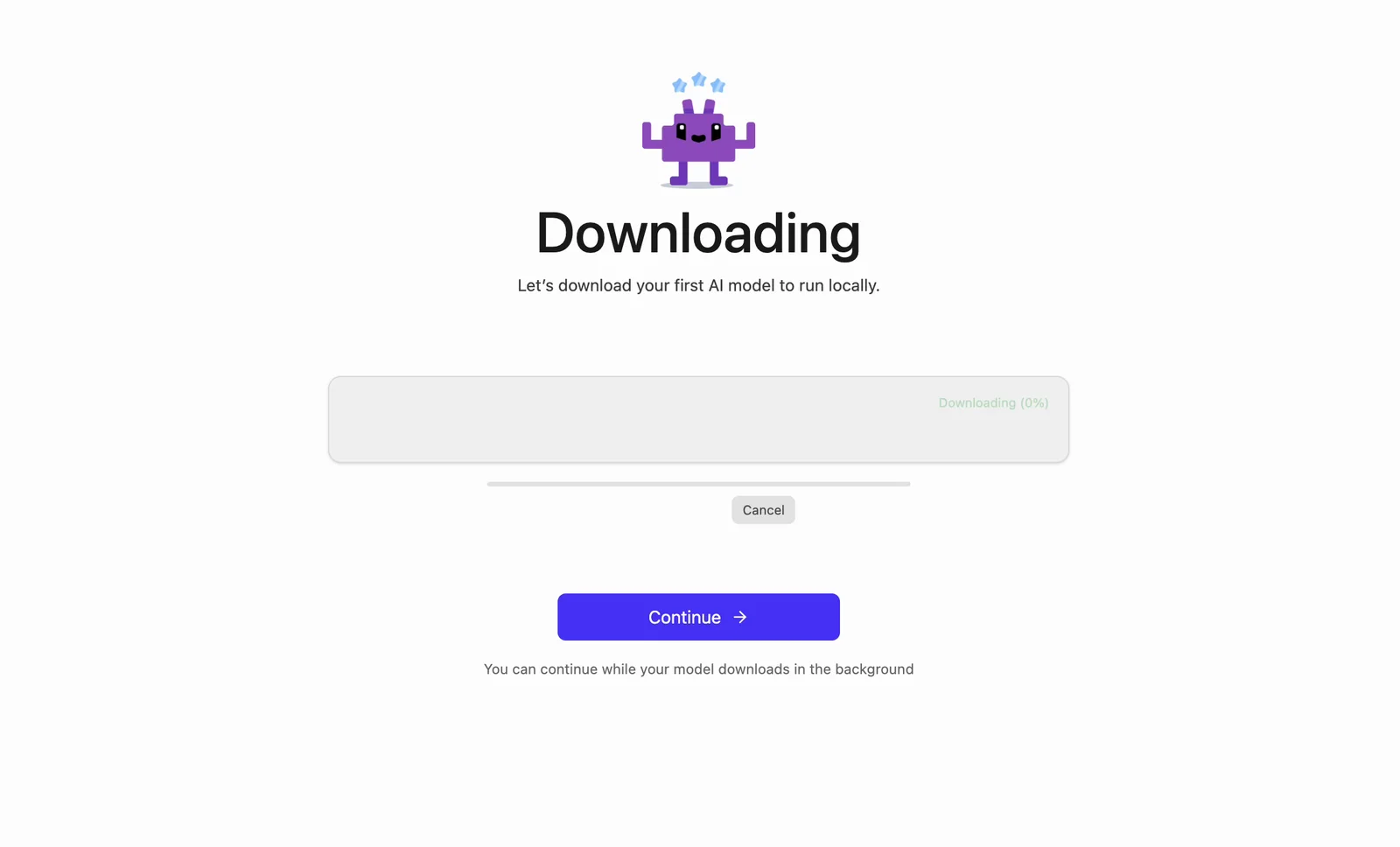 baidu / ernie-4.5-21b-a3bErnie-4.5. Runs locally on your computer.0 MB / 12.00 GB
LM Studio also comes with a terminal tool called lms. On macOS and Linux, run this once so you can type lms in the Terminal app (use ~/.bashrc instead of ~/.zshrc if you use bash):
echo 'export PATH="$PATH:$HOME/.lmstudio/bin"' >> ~/.zshrc && source ~/.zshrcOn Windows, add %USERPROFILE%\.lmstudio\bin to your PATH, or do the next steps in the LM Studio app instead.
Download Ernie-4.5 with LM Studio
In the Terminal app, run:
lms get baidu/ernie-4.5-21b-a3bThis downloads baidu/ernie-4.5-21b-a3b (12.00 GB). LM Studio picks the right format for your computer: MLX on Apple Silicon Macs, GGUF everywhere else. When you see Download completed, the model is ready.
Prefer clicking? Open Model Search in the LM Studio sidebar, search for ernie-4.5-21b-a3b, and click Download. Run lms ls to see every model you have downloaded.
Start the LM Studio server for TypingMind
TypingMind talks to LM Studio through its local server. Load the model with a 32,768-token context window, then start the server with CORS turned on, so the TypingMind web app is allowed to connect:
lms load ernie-4.5-21b-a3b -c 32768lms server start --corsYou should see Server is now running on port 1234. The load command also prints the model ID to use in TypingMind.
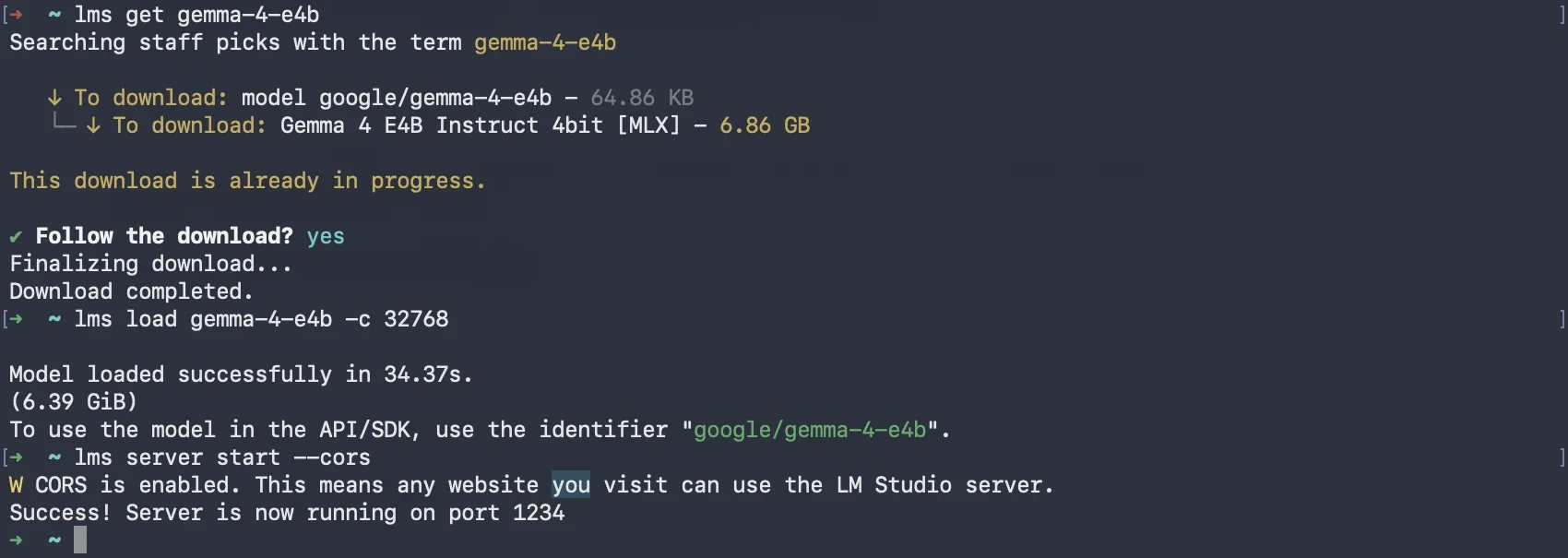
In the app instead: go to Developer → Local Server, open Server Settings, turn on Enable CORS, switch the status to Running, and click Load Model.
lms server stop when you're done. Keep LM Studio open while you chat: if you quit it, the server stops too.Add Ernie-4.5 to TypingMind
Open www.typingmind.com in your browser. Use the web version: the TypingMind Mac app and the Setapp version block plain http:// addresses like LM Studio's.
Click Models in the left sidebar, then Add custom model.
Fill in the form:
| Name | Ernie-4.5 (LM Studio)or any name you like |
| Model ID | baidu/ernie-4.5-21b-a3b |
| Context Length | 32768match the -c value you loaded with |
| API Type | OpenAI Chat Completions API |
| Endpoint URL | http://localhost:1234/v1/chat/completions |
| Authentication Type | No authentication |
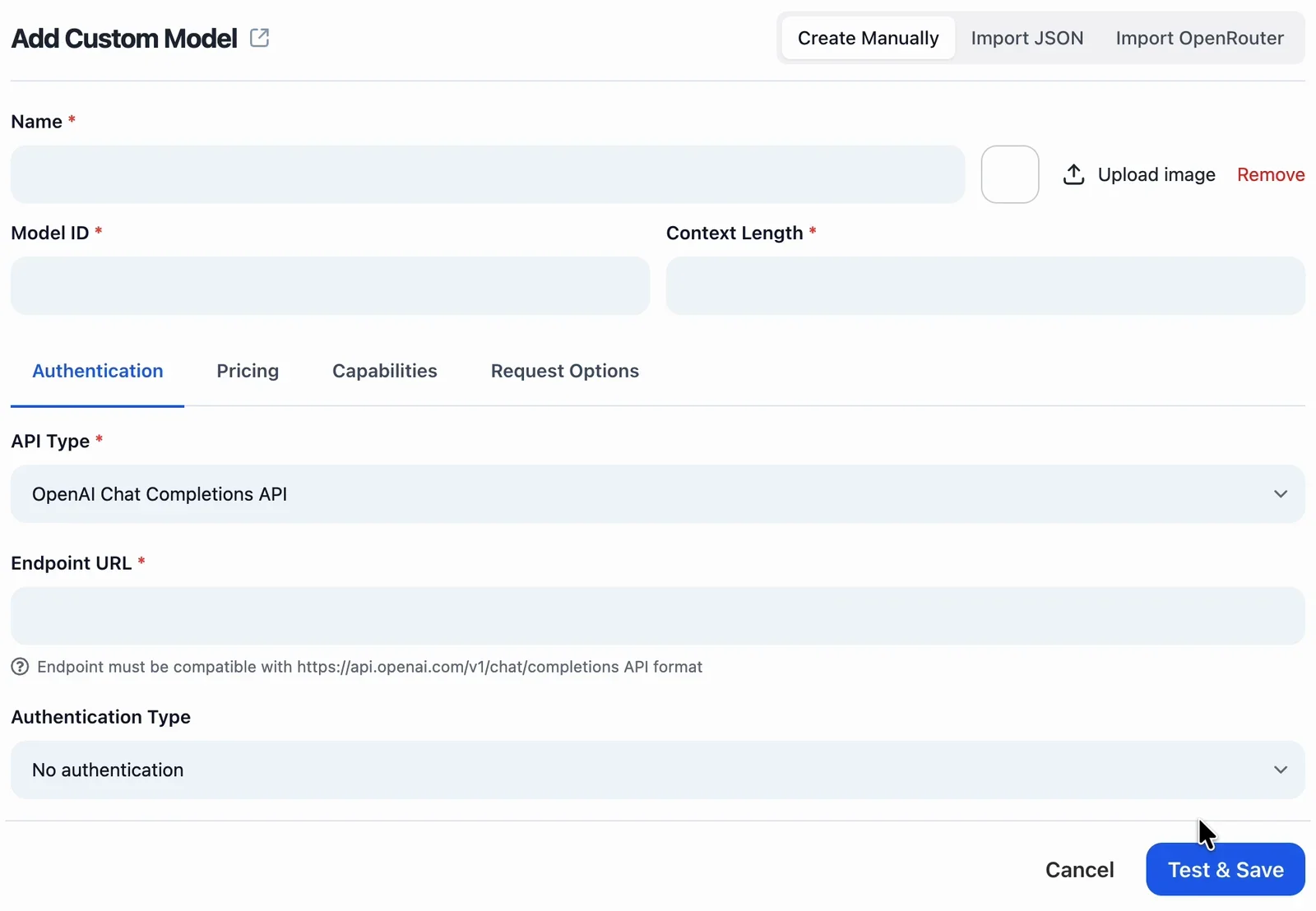 Ernie-4.5 (LM Studio)baidu/ernie-4.5-21b-a3b32768http://localhost:1234/v1/chat/completions
Open the Capabilities tab and turn off Auto check capabilities on save. The check sends several test requests, and a local model answers them one at a time, so it can take minutes.
Then set the features for Ernie-4.5:
- Support System Role: on
- Support Streaming Output: on
- Support Plugins: off
- Support Image Input: off
- Support PDF Input: off
- Support External Image URLs: off
- Support Thinking: off
- Support Prompt Caching: off
Click Test & Save. If your browser asks to let www.typingmind.com access other apps and services on this device, click Allow. This lets the page reach LM Studio at localhost.
Chat with Ernie-4.5 in TypingMind
Pick Ernie-4.5 (LM Studio) in the model menu under the chat box and say hi. The first reply can take longer while LM Studio loads the model into memory. After that, replies come straight from your own computer.
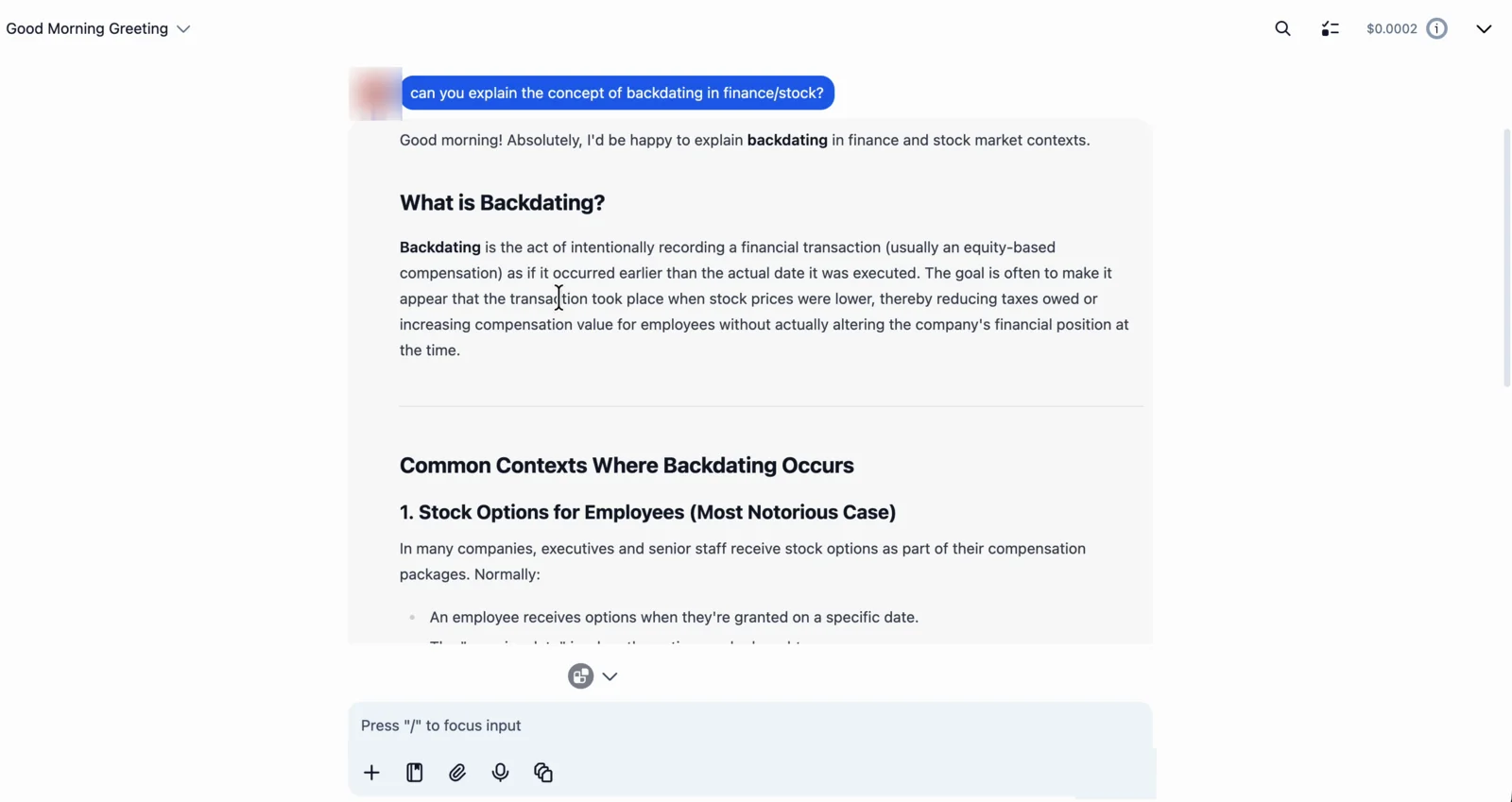 Ernie-4.5 (LM Studio)
You can now use your private AI with TypingMind's chat features: prompts, AI agents, projects, and switching between your local model and cloud models in the same chat.
Tips and troubleshooting
1. "Could not connect to the API (code: 1)"
TypingMind can't reach LM Studio. In the browser's Network tab this shows up as ERR_CONNECTION_REFUSED, which means the server isn't running, not a CORS problem. Check these in order:
- The server is running:
lms server statusshould say it is running on port 1234. If not, start it again:
lms server start --cors- The model is loaded:
lms psshould list it. If it's empty, load the model again withlms load. - CORS is on. Without it, the browser blocks the request. Restart the server with
--cors, or turn on Enable CORS in the app's Server Settings. - You clicked Allow when the browser asked about accessing apps on this device.
- You're using TypingMind in the browser, not the Mac or Setapp app.
To check that LM Studio is answering, run:
curl http://localhost:1234/v1/models2. The first message of a new chat seems stuck
TypingMind writes a title for each new chat. If the title is made by the same local model, your reply can wait behind the title. Go to Settings → Internal prompts, open Advanced Settings under Auto generate title for new chats, and pick another model for title generation, or turn auto titles off.
3. See what LM Studio is doing
Watch every request and reply as it happens:
lms log stream4. Replies are very slow or LM Studio runs out of memory
The model is probably too big for your computer. Pick a smaller size from the size table, load it with a shorter context (for example -c 8192), or close other heavy apps. Free up memory with lms unload --all.
Frequently Asked Questions
Is Ernie-4.5 free to run in LM Studio?
Yes. LM Studio is free, and Ernie-4.5 is an open model you download once. Every message runs on your own computer, so there is no per-message cost and no API key to manage.
Is Ernie-4.5 private when I run it in LM Studio?
Yes. Your messages go from your browser to LM Studio on your own computer, not to an AI company. TypingMind keeps your chat history in your browser. If you turn on Cloud Sync, your chats are also backed up to TypingMind's cloud.
How much RAM do I need for Ernie-4.5?
LM Studio says the smallest version needs at least 12 GB of RAM. The smallest download, baidu/ernie-4.5-21b-a3b, is 12.00 GB. The version used in this guide, baidu/ernie-4.5-21b-a3b, runs comfortably with about 24 GB.
Which model ID do I use in TypingMind?
Use the ID LM Studio prints when you load the model, for example baidu/ernie-4.5-21b-a3b. You can also see it with lms ps or at http://localhost:1234/v1/models.
Can Ernie-4.5 use TypingMind plugins?
LM Studio doesn't list tool use for Ernie-4.5, so keep Support Plugins off. Pick a model with tool use if you need plugins.
Can Ernie-4.5 read images?
No. LM Studio doesn't list vision for Ernie-4.5, so keep Support Image Input off.
Does TypingMind run locally?
TypingMind runs in your browser at www.typingmind.com, and your chats are stored locally in your browser by default. When you chat with a self-hosted model, your messages go straight from your browser to the model on your own computer, not through TypingMind’s servers. If you turn on Cloud Sync, your chats are also backed up to TypingMind’s cloud.
Can I self-host TypingMind?
Yes. To self-host TypingMind for your team or company, use the self-hosted version of TypingMind Teams. You run it on your own servers next to your self-hosted models, so chats, users, and settings stay inside your own infrastructure. Contact our sales team to get started.