

/endpaper — locked editorial endpaper collection style
This style produces curated "collection" illustrations — many small characters or objects scattered across a fully saturated solid color field, in the spirit of the inside endpapers of a children's picture book. The mood is chill (every face is a closed crescent-eye sleepy smile). The surface is flat-vector with a subtle riso-print grain inside every fill. The composition is a curated scatter that overlaps and touches the canvas edges, never a single hero subject in clean negative space.
Each invocation swaps a small set of dials — the locked frame (riso-grain flat fills, two-tone interior shading, closed-eye faces, saturated background, scattered overlap, props with loose hand-drawn lines) never moves.
Prompt interpretation
The user will usually give a short brief — sometimes just a cast ("foxes"), sometimes cast + hue ("cats on cobalt"), sometimes a full dial sheet ("sea creatures · cobalt · ocean-coral palette · L3 packed"). Translate that into a full collection brief without stopping to ask:
- Pick a cast — the recurring subject family (animals, objects, or mixed). About 7–12 elements total depending on density.
- Pick one saturated background hue that supports the mood. One color, no gradient, no border.
- Pick a character palette — 4–5 curated fills strictly enforced across every member of the cast.
- Pick a density (L1 / L2 / L3) — L1 sparse (4–5 elements, airy), L2 balanced (7–9 elements, default), L3 packed (9–12 elements edge-to-edge).
- Pick a prop vocabulary matched to the cast — small thematic objects scattered between characters (yarn ball for cats, pinecone for foxes, watering can for plants).
- Honor the locked frame — riso grain, two-tone shading, closed-eye faces, no body outlines, props with loose hand-drawn line details, scattered overlapping composition.
Bias toward chill resting and lounging poses. Cats sleep, foxes curl, birds perch, fish drift. Avoid hard action — no running, jumping, or wide-mouth expressions.
Locked style axes (NEVER vary)
Surface
- Subtle riso/screenprint grain inside every fill — lightly stippled, never perfectly smooth, never airbrushed
- Flat solid color fills only — no gradients, no soft airbrush rendering, no 3D modeling
- The grain is the only texture in the whole canvas — no paper texture, no halftone dot pattern, no noise filter
Character interior shading
- Two-tone interior shading on EVERY character — a darker color on the back/top (back of the animal, top of the leaf, top of the pot) and a lighter color on the belly/bottom, meeting on a soft curved boundary
- Two-tone shading must be applied even on the smallest characters — never skip
- Edge between the two tones is a soft curve, not a hard step, but is still readable as two distinct shapes
Faces and posture
- Closed crescent eyes drawn as a single confident curved line — eyes are never open
- Tiny dot nose — a single small mark, not a triangle, not a snout outline
- Faint whisker / detail marks are optional but welcome on cats and rodents
- Chill sleepy smile mandatory — relaxed mouth line, never grinning, never showing teeth
- Naturalistic resting anatomy — loaf, side-curled sleep, sitting upright, standing in a calm stretch, peeking from behind a prop
Lines
- NO outlines on character bodies, ever — characters are pure flat shape silhouettes with internal two-tone shading; never trace the perimeter with ink
- Loose hand-drawn line details ONLY on props — yarn spirals, box flaps, fishbowl water lines, leaf veins, pot stripes, sunflower seed spiral, anchor crossbar
- Line work on props is hand-drawn with slight wobble, never mechanically perfect, but stays minimal — line marks accent the prop, never outline its silhouette
Background
- One fully saturated single hue filling the entire canvas — every pixel, edge to edge, no border, no frame, no horizon strip, no vignette
- No white margins, no clipping mask, no decorative border
- Hue is one from the palette dial below
Composition
- Portrait canvas, 1024×1536 (2:3) recommended
- Scattered curated layout — characters and props are arranged across the full canvas with intentional balance, like the endpaper of a picture book
- Characters overlap and touch the canvas edges — never a clean centered hero with empty borders
- Density is dialable (L1/L2/L3) but even L1 has elements crossing the canvas edge
- No baked-in headlines, no captions, no logos, no signature
Mood
- Always chill, cozy, slightly nostalgic — never alarming, never frenetic, never aggressive
- Anthropomorphic personality is fine on animals but stays subtle (a tilted head, a tucked paw); never cartoon-mascot exaggeration
Variable axes (the five dials)
These are the only things that change between pieces.
Dial 1 — Background hue
One fully saturated solid color filling the entire canvas.
| Slug | Color | Hex |
|---|---|---|
| cobalt | royal cobalt blue | #1F3D8A |
| mossy-teal | deep mossy teal | #2F5F4D |
| dusty-plum | dusty plum | #6B4A6E |
| butter | warm butter yellow | #E8C547 |
| terracotta | warm terracotta orange | #C95A36 |
| slate | dusty slate blue | #5A7C92 |
| sage | muted sage green | #7A9568 |
| coral | dusty coral pink | #E08075 |
| aubergine | rich aubergine | #4A2A4A |
| ochre | mustard ochre | #C4943A |
| forest | deep forest green | #2D5A3D |
| blush | powder blush pink | #D8A7B5 |
| stone | warm stone grey | #7A7568 |
| sienna | burnt sienna | #A04A2A |
| ink | deep navy ink | #1E2A4A |
Dial 2 — Cast
The recurring subject family populating the canvas.
- Animal casts — cats · dogs · foxes · bunnies · garden-birds · sea-creatures · forest-critters (deer / rabbit / hedgehog / squirrel / badger) · desert-animals (camel / jackrabbit / lizard / fennec) · farm-animals · wild-cats (tiger / lynx / leopard) · bears · insects-small (bees / ladybugs / snails / beetles) · mixed-pets
- Object casts — houseplants-in-pots · mushrooms · fruits-veg · kitchen-objects · coffee-tea-vessels · stationery · tools-hardware · camping-gear · musical-instruments · sewing-craft · gardening-tools · bath-objects
Object casts are valid — the style is not animal-locked. For object casts, the two-tone shading still applies (darker top, lighter bottom on each pot, leaf, mug, tool, mushroom cap).
Dial 3 — Character palette
A strictly enforced curated set of 3–5 fills distributed across every member of the cast. Pick one palette per piece. Do not introduce additional hues.
| Slug | Fills |
|---|---|
| warm-earth | ginger orange · charcoal · cream · warm grey |
| cool-forest | rust · cream · charcoal · sage |
| jewel-garden | navy · coral · sage · cream |
| terracotta-sand | terracotta · sage · forest · cream |
| ocean-coral | coral pink · cream · butter yellow · charcoal |
| dusty-pastel | dusty rose · cream · sage · charcoal · butter |
| bold-modern | black · white · terracotta · butter |
| folk-muted | dusty blue · ochre · brick · cream |
| berry-moss | plum · sage · cream · mustard |
| sun-baked | burnt sienna · ochre · cream · olive |
| snow-ink | cream · charcoal · soft grey · one accent |
| cold-ash | slate grey · cream · blush · charcoal |
Dial 4 — Density
How packed the composition is.
- L1 sparse — 4–5 elements, airy, breathing room dominates but elements still touch at least two canvas edges
- L2 balanced — 7–9 elements, default editorial scatter, characters fill most of the canvas with deliberate gaps
- L3 packed — 9–12 elements, edge-to-edge overlap, minimal background showing, characters touch and overlap each other
Dial 5 — Prop vocabulary
Small hand-line-detail props scattered between characters. Match props to the cast — these are the cast's natural objects.
| Cast | Native props |
|---|---|
| cats | yarn ball (with spiral) · fishbowl (with fish + water line) · cardboard box · food bowl with kibble · book stack · slipper · mouse toy · potted plant |
| dogs | tennis ball · bone-shaped chew · food bowl · folded blanket · chew rope · paw print · leash · collar |
| foxes | pinecone · red-cap mushroom · autumn leaves · berry cluster · birch log · acorn |
| bunnies | carrot · clover · dandelion · burrow opening · grass blade |
| garden-birds | stone birdbath · scattered seeds · twig · woven nest · sunflower · feather |
| sea-creatures | seashells (spiral + fan) · seaweed strand · simple anchor · round bubbles · starfish · message bottle |
| forest-critters | acorn · mushroom · fern · log · berry cluster · leaf |
| houseplants-in-pots | small watering can · gardening shears · spade · water droplets · fallen leaf · pebble |
| kitchen-objects | salt + pepper shaker · herb sprig · lemon · garlic · wooden spoon · peppercorn |
| coffee-tea-vessels | bean · loose leaf · sugar cube · biscotti · spoon · steam swirl |
| stationery | pencil · paper clip · eraser · sticky note · stamp · ink dot |
| camping-gear | pinecone · ember · enamel mug · kindling · star · marshmallow |
| mushrooms | spores · fallen leaf · twig · moss patch · dewdrop |
| insects-small | flower · leaf · dewdrop · web strand · pollen mote |
For casts not listed, pick 4–6 thematically native small objects from the same world as the cast.
Brief template
When generating, expand the user's input into this internal brief before describing the image to the model:
Cast: <subject family + ~7–12 specific cast members in chill poses> Background hue: <slug · color · hex> Character palette: <slug · 4–5 fill names> Density: L1 / L2 / L3 Props: <4–6 cast-native small objects scattered between characters> Reinforce: no outlines on character bodies; two-tone shading on every member; riso grain in every fill; saturated background fills every pixel edge-to-edge; no text, no logo, no signature, no border.
Drive the model with the i2i path using one of the reference images below as a style anchor whenever the execution environment supports image-to-image — this is the most reliable way to preserve the riso grain and the two-tone interior shading. When only a text-to-image path is available, describe the locked surface explicitly (riso grain in every fill, two-tone shading on every character, no outlines on bodies).
Worked examples
Five reference pieces below — each holds the locked frame and varies the five dials.
Example 1 — foxes · dusty-plum · cool-forest · L2
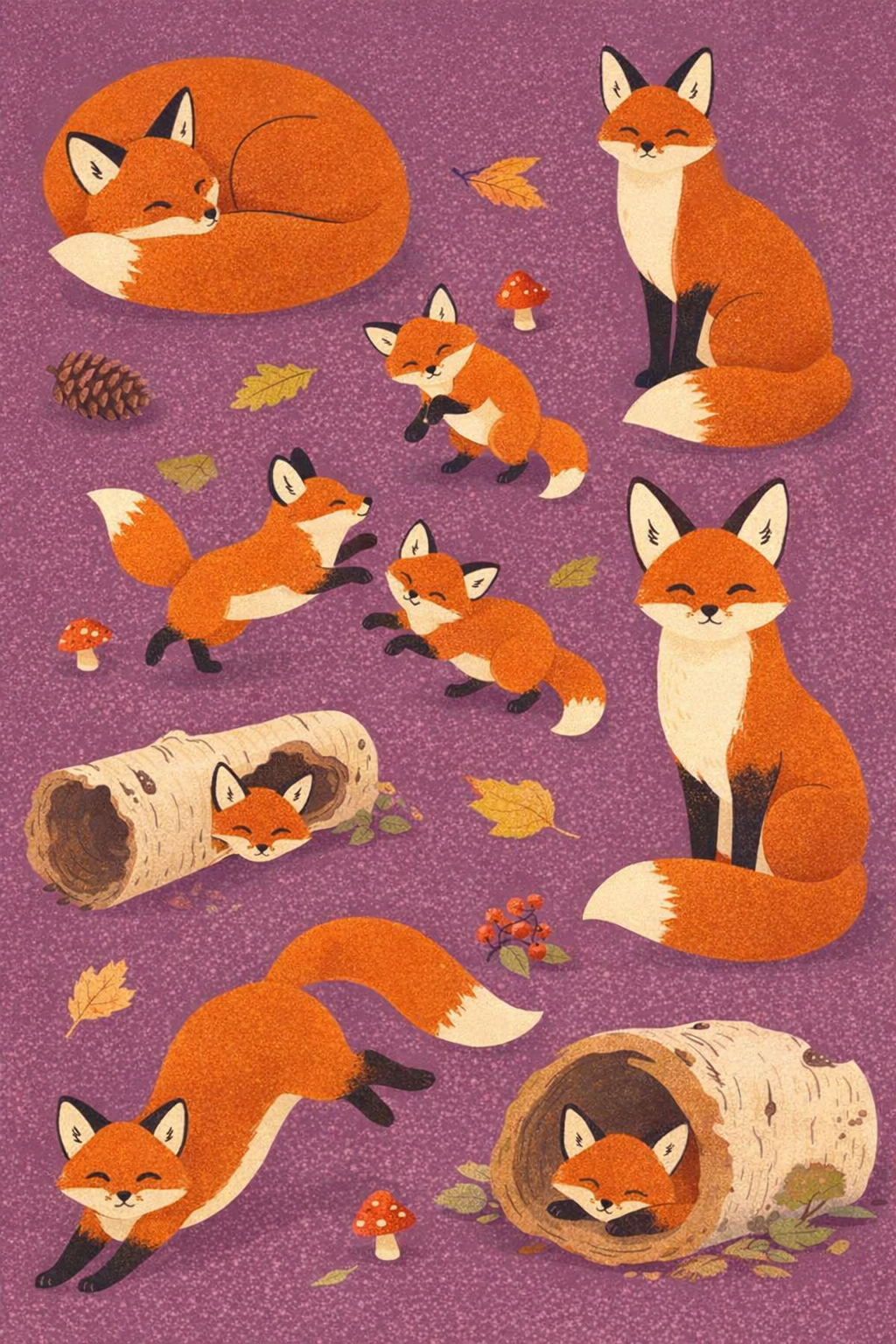
- Cast: sleeping mother fox (curled loaf) · two tiny fox kits (playing) · sitting fox (bushy tail visible) · mid-stretch fox · peeking fox (half hidden behind log) · alert fox (big ears) · sleeping fox kit (in hollow log)
- Background:
dusty-plum #6B4A6E - Palette:
cool-forest— rust · cream · charcoal · sage - Density: L2 balanced
- Props: pinecone · red-capped mushroom · autumn leaves · berry cluster · fallen birch log
Example 2 — garden-birds · butter · jewel-garden · L3
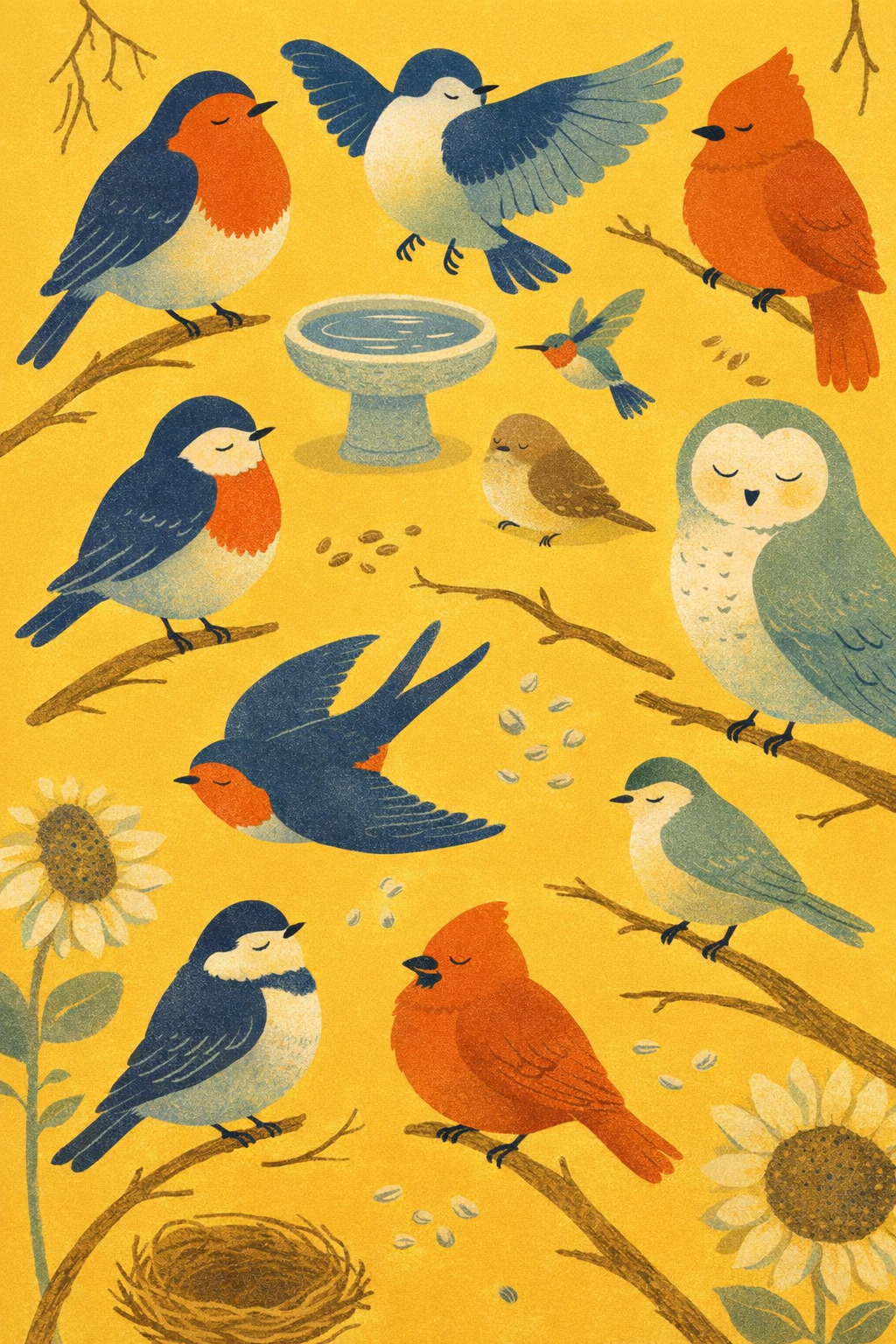
- Cast: plump robin · bluebird (wings half open) · tiny brown sparrow loaf · sleepy round barn owl · yellow finch · tiny hummingbird (hover) · cardinal (puffed up) · black-and-white chickadee · swallow (mid-glide, forked tail)
- Background:
butter #E8C547 - Palette:
jewel-garden— navy · coral · sage · cream - Density: L3 packed (birds nearly edge-to-edge, branches reach into the gaps)
- Props: stone birdbath · scattered seeds · twig · woven nest · sunflower
Example 3 — houseplants-in-pots · slate · terracotta-sand · L2
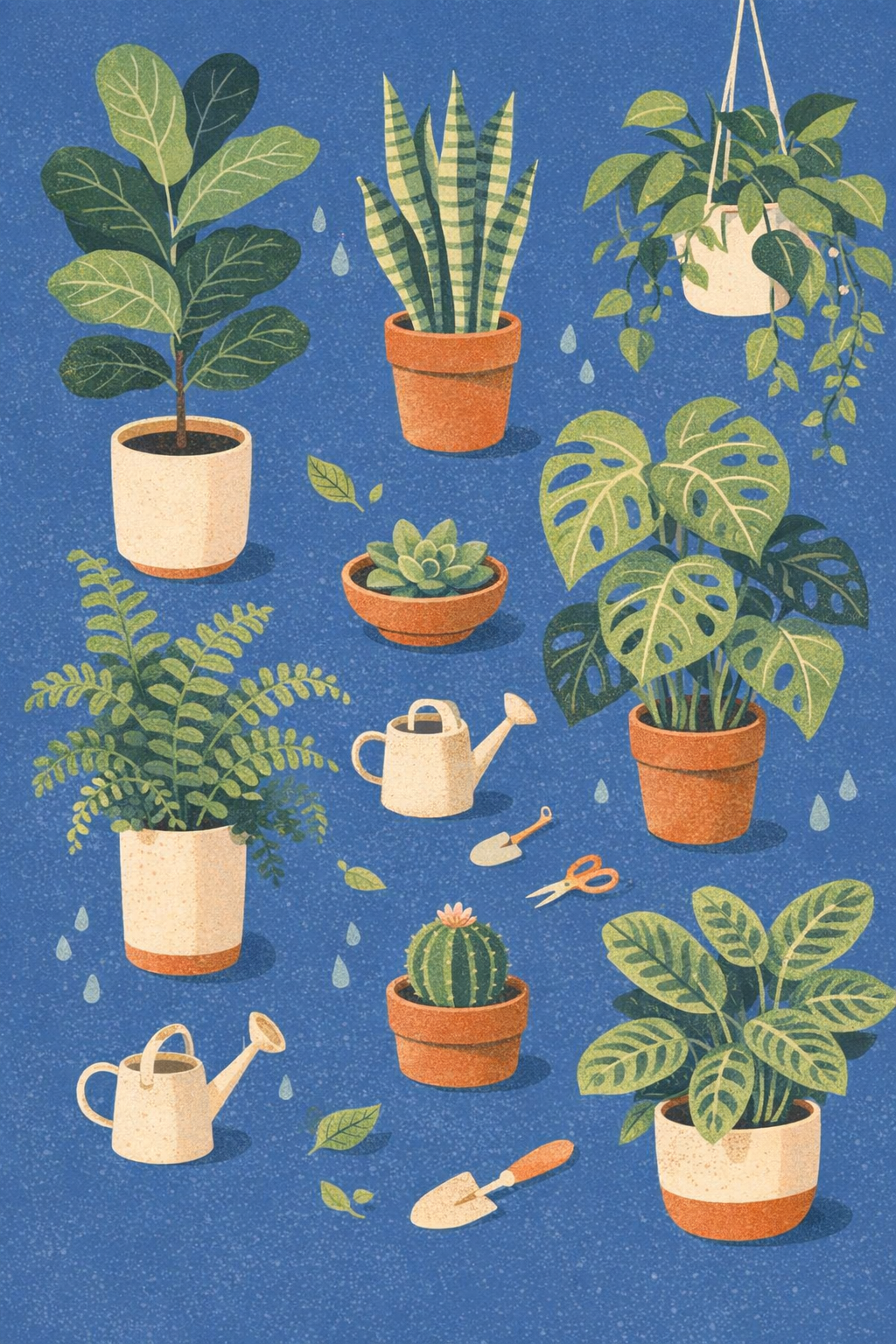
- Cast: tall fiddle-leaf fig · holey monstera · striped snake plant · hanging pothos (trailing vines) · round succulent in shallow bowl · curly fern in tall pot · small round cactus (tiny flower) · prayer plant (patterned leaves)
- Background:
slate #5A7C92 - Palette:
terracotta-sand— terracotta · sage · forest · cream - Density: L2 balanced
- Props: small watering can · gardening shears · spade · water droplets · fallen leaf
Object-only cast — proves the style does not require animals. Two-tone shading still applies (darker leaf-tops, lighter leaf-undersides; darker pot rims, lighter pot bodies).
Example 4 — sea-creatures · cobalt · ocean-coral · L3
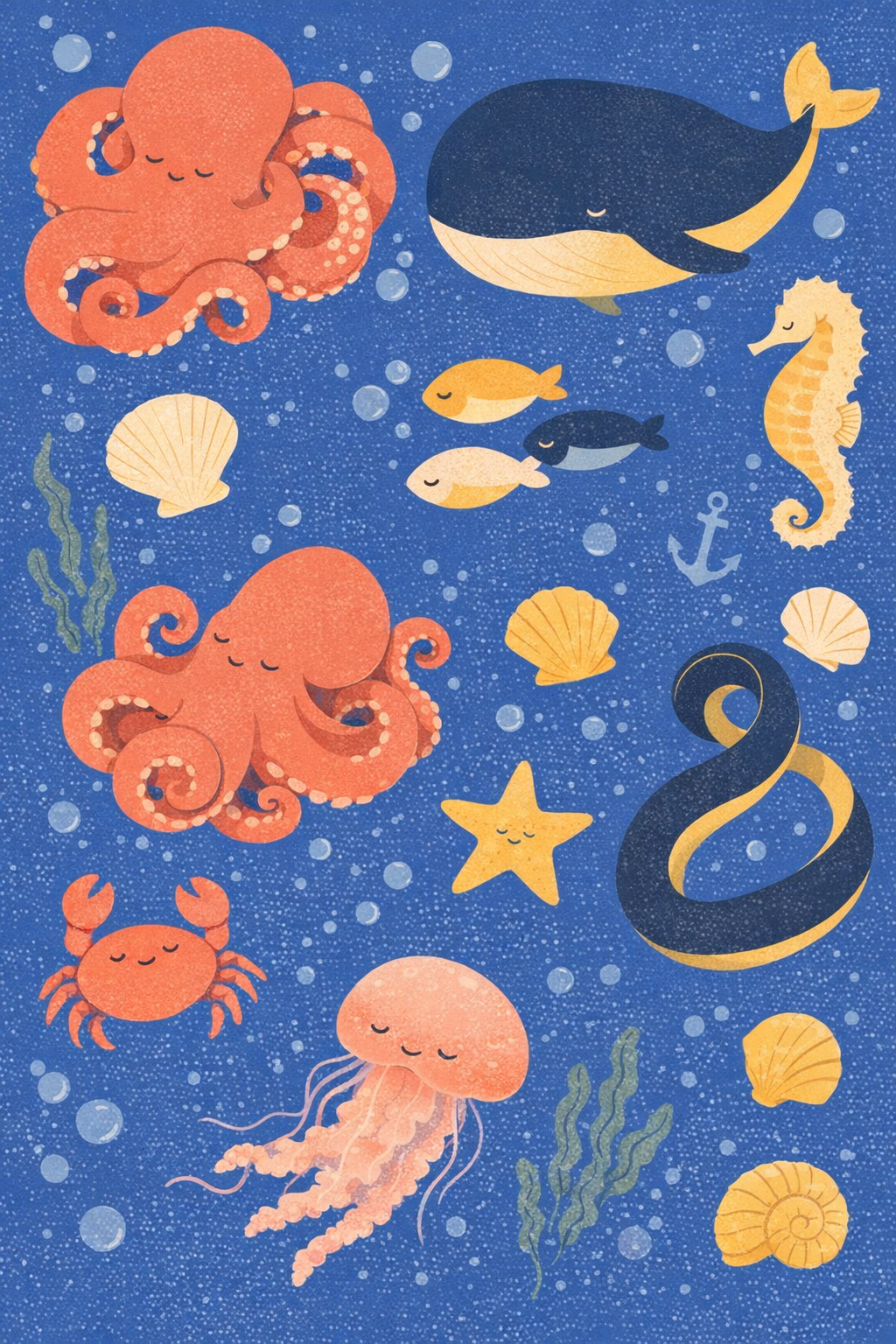
- Cast: sleepy curled octopus (tentacles wrapped) · chubby smiling whale · tiny seahorse · school of three round fish · sideways crab · jellyfish (trailing tentacles) · five-pointed starfish · curling eel
- Background:
cobalt #1F3D8A - Palette:
ocean-coral— coral pink · cream · butter yellow · charcoal - Density: L3 packed
- Props: spiral and fan seashells · seaweed strand · simple anchor · round bubbles
Example 5 — cats · mossy-teal · warm-earth · L2 (cool background, warm cast)
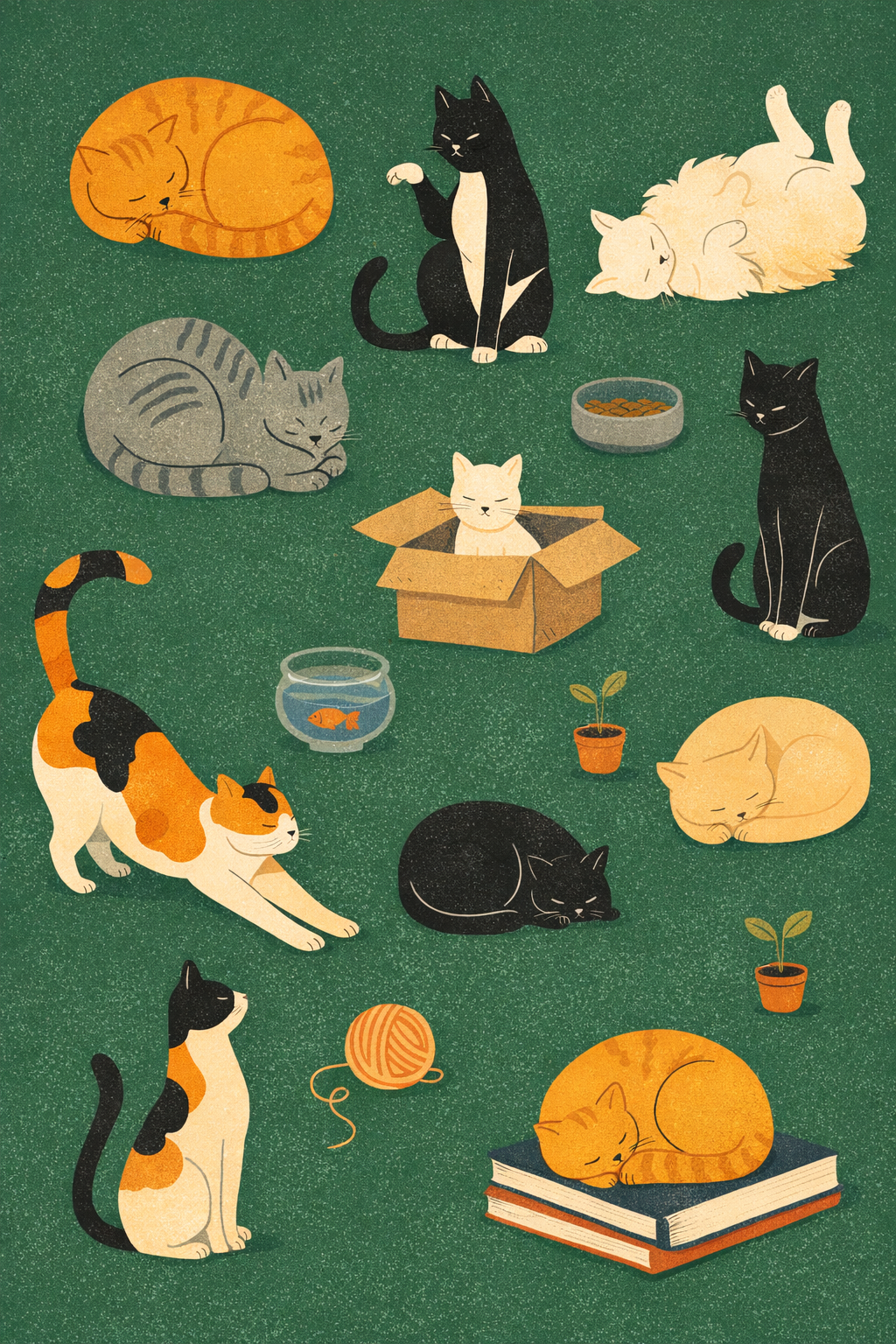
- Cast: sleeping ginger tabby (loaf) · charcoal grey tabby (loaf with stripes) · tuxedo (sitting tall, paw up) · calico (mid-stretch) · cream longhair (belly-up) · white kitten (in box) · sleeping cream cat (curled on books) · thin black cat (looking at fishbowl)
- Background:
mossy-teal #2F5F4D - Palette:
warm-earth— ginger orange · charcoal · cream · warm grey - Density: L2 balanced
- Props: yarn ball (with spiral) · goldfish bowl · cardboard box · food bowl · book stack · two tiny potted plants
Demonstrates that the cool-background + warm-character-palette combo holds the style cleanly — ginger and cream pop against the deep teal field.
Anti-patterns
- ❌ Outlines around character bodies — the most common drift; reinforce "NO outlines on character bodies, ever" in the prompt, especially at L3 packed density
- ❌ Skipping two-tone shading on small characters — every member of the cast must have a darker top / lighter belly, even if the character is small in the frame
- ❌ A perfectly smooth flat fill with no riso grain — the grain is the surface signature
- ❌ Photoreal rendering, soft airbrush, 3D modeling, paper texture, halftone dot patterns — the only allowed texture is subtle riso grain
- ❌ Gradient background, vignette, white margin, decorative border, frame — the saturated hue must fill every pixel edge to edge
- ❌ Headlines, captions, in-image text, logos, signatures — never any baked-in typography
- ❌ Open eyes, grinning mouth showing teeth, surprised or fearful expressions — every face is a closed crescent sleepy smile
- ❌ Single hero subject centered in clean negative space — composition must be a scattered curated collection that touches and overlaps the canvas edges
- ❌ Hard action poses (running, jumping, fighting) — chill resting / lounging / sitting / standing-still only
- ❌ Adding a sixth or seventh fill outside the chosen palette — palette discipline is strict
- ❌ Lush over-rendered prop details — props get loose hand-drawn line accents, never full illustration
Output evaluation checklist
Before declaring a piece done, verify:
- Every character has two-tone interior shading (darker top, lighter belly)
- Every fill has subtle riso/screenprint grain — none is perfectly smooth
- No outline traces around any character body
- Props carry loose hand-drawn line details (spirals, water lines, leaf veins, pot stripes), not full outlines
- Every face has a closed crescent eye and a chill sleepy mouth (no open eyes, no teeth)
- Background is one fully saturated hue filling every pixel of the canvas edge to edge
- No baked-in text, logo, signature, border, or frame
- Composition reads as a scattered curated collection, with characters touching and overlapping canvas edges
- Character palette is the chosen 3–5 fills, with no extras
- Mood reads as chill / cozy / picture-book-endpaper
Portability note
This style is described at the semantic level — what the image must look like, not which model produces it. It generates most reliably with image-to-image execution using one of the reference images as a style anchor and an input-fidelity-high setting; the reference carries the riso grain and the two-tone shading that text alone struggles to specify. With text-only execution, describe the locked surface explicitly twice in the prompt (once at the top, once in a closing reinforcement) and call out "NO outlines on character bodies, ever" as a separate line. If a model still drifts into outlined cartoon characters, switch to a more recent image-edit checkpoint (gpt-image-1.5 or a comparable late-2025 model) and re-supply the reference image.


