


/riso-relic — locked retro-relic risograph poster style
This skill produces single-object pop-art posters in the riso-relic house style: one nostalgic everyday object sitting dead-center on a saturated single-hue field, framed by a tiny "SMALL OBJECTS IN TIME" banner at the top and a chunky retro headline at the bottom, with hand-drawn doodle accents floating around the hero. Think mid-century sticker-pack meets risograph print zine — flat, tactile, and a little bit grainy.
Each invocation swaps only a handful of dials — every other style axis stays locked.
Prompt interpretation
The user will usually give a short brief — sometimes just an object ("rotary phone"), sometimes an object plus a vibe ("walkman, 80s mall energy"). Your job is to turn that into a full poster brief without stopping to ask:
- Pick a hero object from the brief. If the user only gave a vibe, pick the most evocative everyday relic for that vibe.
- Choose a saturated background hue that matches the object's era + mood. One color, no gradient.
- Pick an accent palette of 2–3 colors that pop against the background — these carry the doodles and the headline fill.
- Write a 1–3 word headline in chunky all-caps that captures the feeling the object gives off (e.g. RING RING, MIX TAPE, PLAY LOUD, SAY CHEESE).
- Pick a doodle vocabulary — which little hand-drawn marks float around the hero (sparkles, squiggles, dots, music notes, lightning, motion lines, hearts, sound-waves, ZZZs…). Pull from the object's emotional world.
- Hold the locked frame — banner, drop-shadow, grain, black outlines, centered composition — those never move.
Bias toward objects with high tactile nostalgia: things people held, pressed, wound, or carried. Avoid abstract concepts; avoid logos; avoid people.
Locked style axes (NEVER vary)
Composition
- Single hero object, centered, dead-symmetric — the object owns the visual center of mass
- Portrait canvas (recommended 1024×1536)
- Headline reads at the bottom; small banner reads at the top; hero sits between them
- No backgrounds, no scenery, no horizon line — the object floats on the color field
Line quality
- Bold black ink outlines on every shape, slightly imperfect like a hand-inked stencil
- Simple cel-shading — one or two flat shadow tones per object, never airbrushed
- No gradients, no 3D rendering, no soft modeling — flat vector with weight
Surface
- Riso / halftone grain overlay across the whole canvas — visible noise, tactile print feel
- Slight ink-misregistration vibe acceptable (one accent color nudged a pixel or two)
- The grain is the only texture — no other photo textures, no fabric, no paper-curl
Background
- One saturated hue filling the entire canvas — no gradient, no vignette, no second color band
- Hue is one of: hot magenta, mustard yellow, sky blue, tomato red, deep violet, kelly green, cobalt, burnt orange, chartreuse, blush pink (or a sibling)
Top banner
- Small white rectangular banner with thin black border, centered horizontally near the top edge
- Contains small all-caps text — default copy: "SMALL OBJECTS IN TIME"
- Simple sans-serif, tracked-out slightly, never decorative
Headline (bottom)
- Chunky retro display face, all-caps, thick condensed letters — 70s/80s poster vibe
- Fill is cream-white (not pure white) with a solid offset black drop-shadow behind it
- 1–3 words; never a full sentence
Doodle accents
- Floating around the hero, never overlapping its silhouette
- Drawn in the same hand-inked weight as the hero, in the accent palette
- Vocabulary: sparkle stars (✦/✧), squiggly motion lines, scattered dots, tiny lightning bolts, music notes, hearts, sun rays, sound-wave arcs, zigzags, "ZZZ" squiggles, small triangles
- 6–12 accent marks total — sparse enough to breathe, dense enough to feel alive
Variable axes (the five dials)
These are the only things that should change between pieces.
| # | Axis | What it controls | Example values |
|---|---|---|---|
| 1 | Hero object | The nostalgic everyday relic that owns the canvas | rotary phone · boombox · Polaroid · alarm clock · cassette · Walkman · Game Boy · lava lamp · Zippo · roller skate · soda bottle · ticket stub · CRT TV · lipstick · disposable camera |
| 2 | Background hue | The single saturated color filling the canvas | hot magenta · mustard yellow · sky blue · tomato red · deep violet · kelly green · cobalt · burnt orange · chartreuse · blush pink |
| 3 | Accent palette | 2–3 contrast colors for the doodles + headline fill highlights | cream + teal + red · lime + hot-pink + yellow · white + coral + lemon · cream + cyan + black |
| 4 | Headline copy | 1–3 chunky all-caps words tied to the object's feeling | PLAY LOUD · RING RING · SAY CHEESE · WAKE UP · MIX TAPE · STAY TUNED · FIZZ POP · INSTANT |
| 5 | Era / mood | The decade or feeling-tone the piece evokes; drives object choice and doodle vocabulary | 50s diner · 60s domestic · 70s vacation · 80s mall · 90s arcade · atomic age · mid-century kitchen |
Brief template
When generating, expand the user's input into this internal brief before describing the image to the model:
Hero object: <one specific named object, with era> Background: <single saturated hue> Accents: <2–3 colors> Headline: <1–3 words, all caps> Banner: SMALL OBJECTS IN TIME (override only if user explicitly asks) Mood: <one phrase> Doodle vocabulary: <4–6 marks pulled from the object's world>
Worked examples
Five reference pieces below — each holds the locked frame and varies the five dials.
Example 1 — boombox · hot magenta · "PLAY LOUD" (80s mall energy)
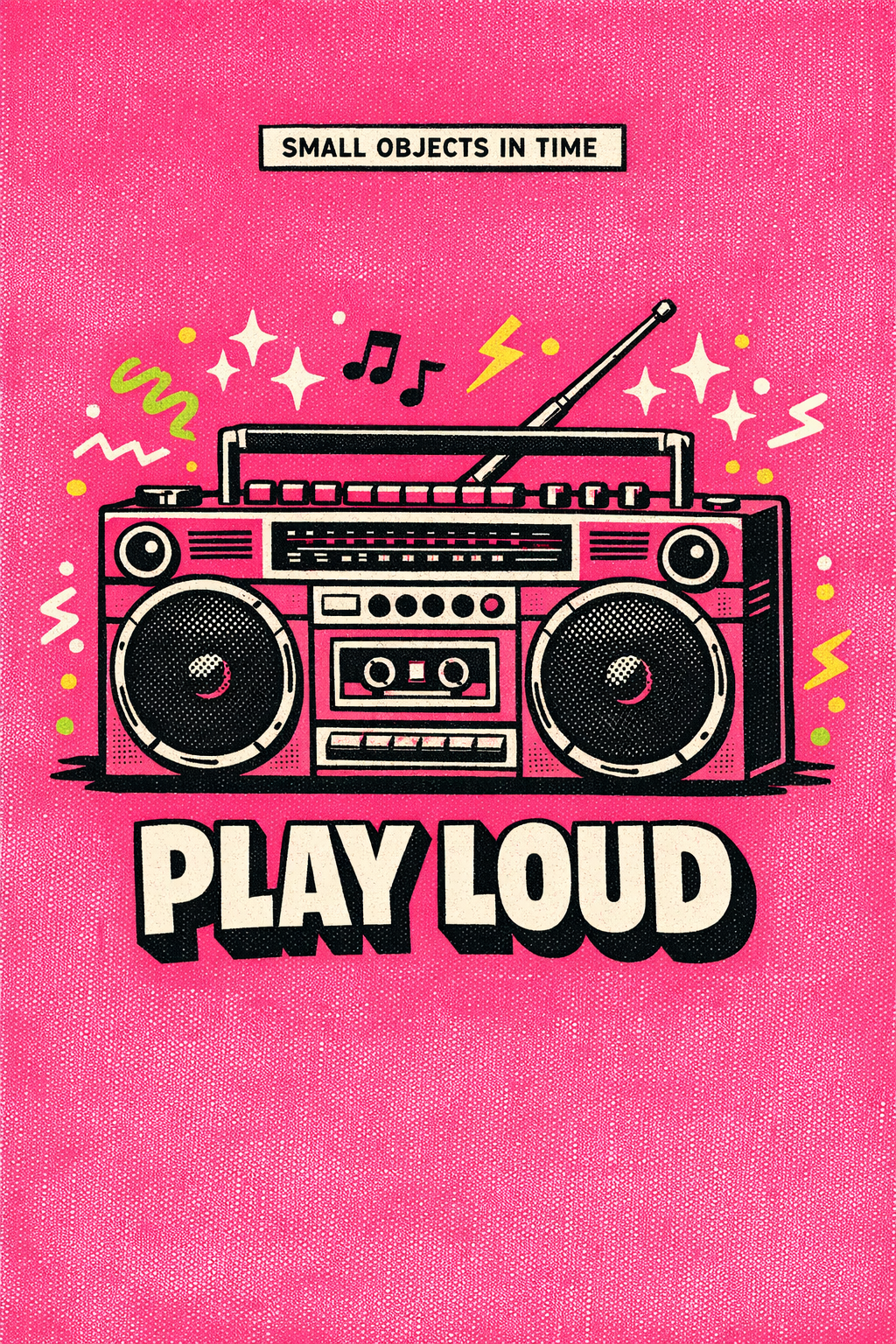
- Hero: chunky 1980s stereo cassette boombox, two big speakers, antenna up
- Background: hot magenta
- Accents: cream + lime green + yellow
- Doodles: sparkle stars, music notes, lightning bolts, scattered dots
- Headline: PLAY LOUD
Example 2 — rotary phone · mustard yellow · "RING RING" (60s domestic)
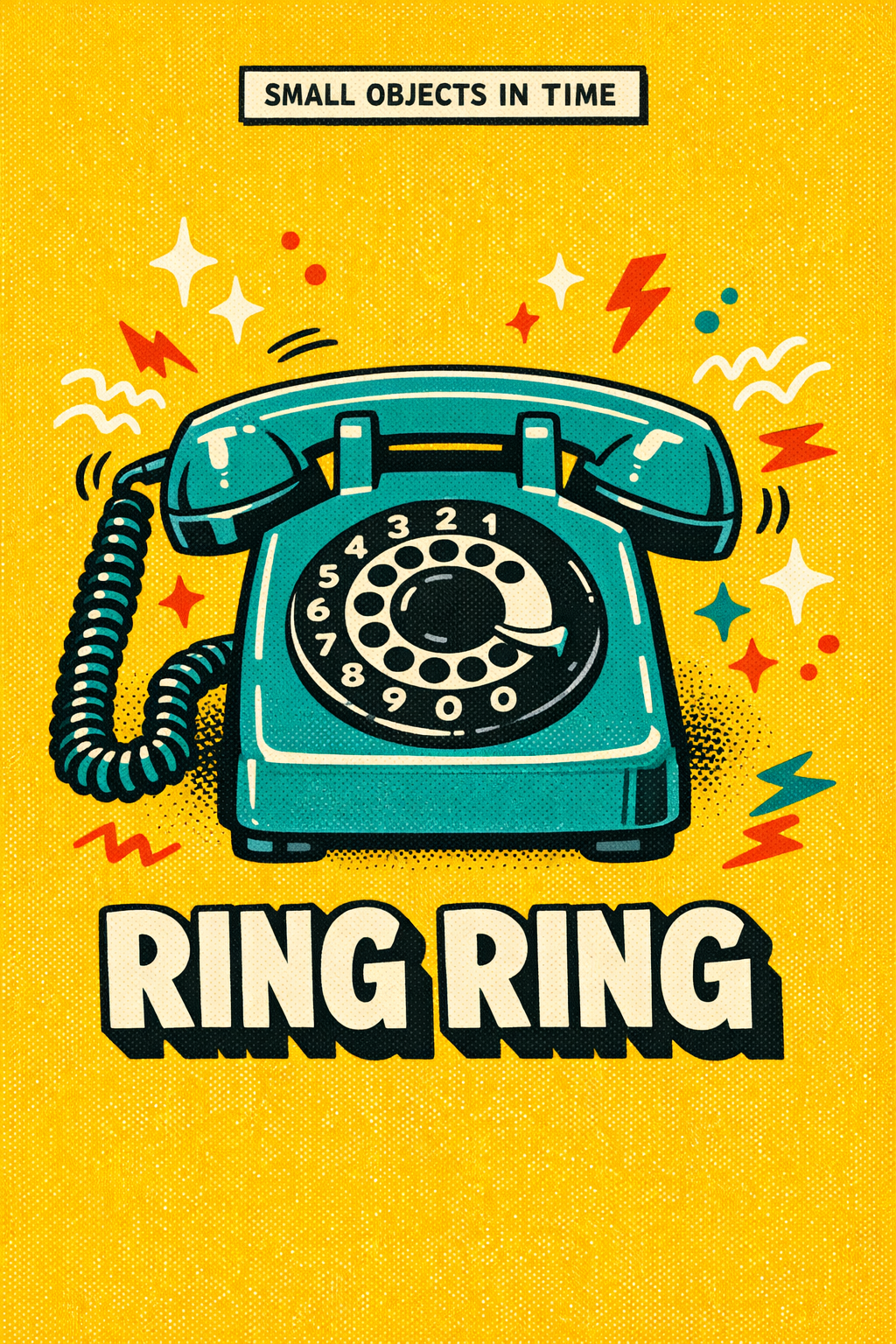
- Hero: 1960s rotary dial telephone, curly cord, finger dial
- Background: mustard yellow
- Accents: cream + tomato red + teal
- Doodles: sound-wave arcs near handset, zigzags, sparkles, scattered dots, lightning
- Headline: RING RING
Example 3 — Polaroid · sky blue · "SAY CHEESE" (70s vacation)
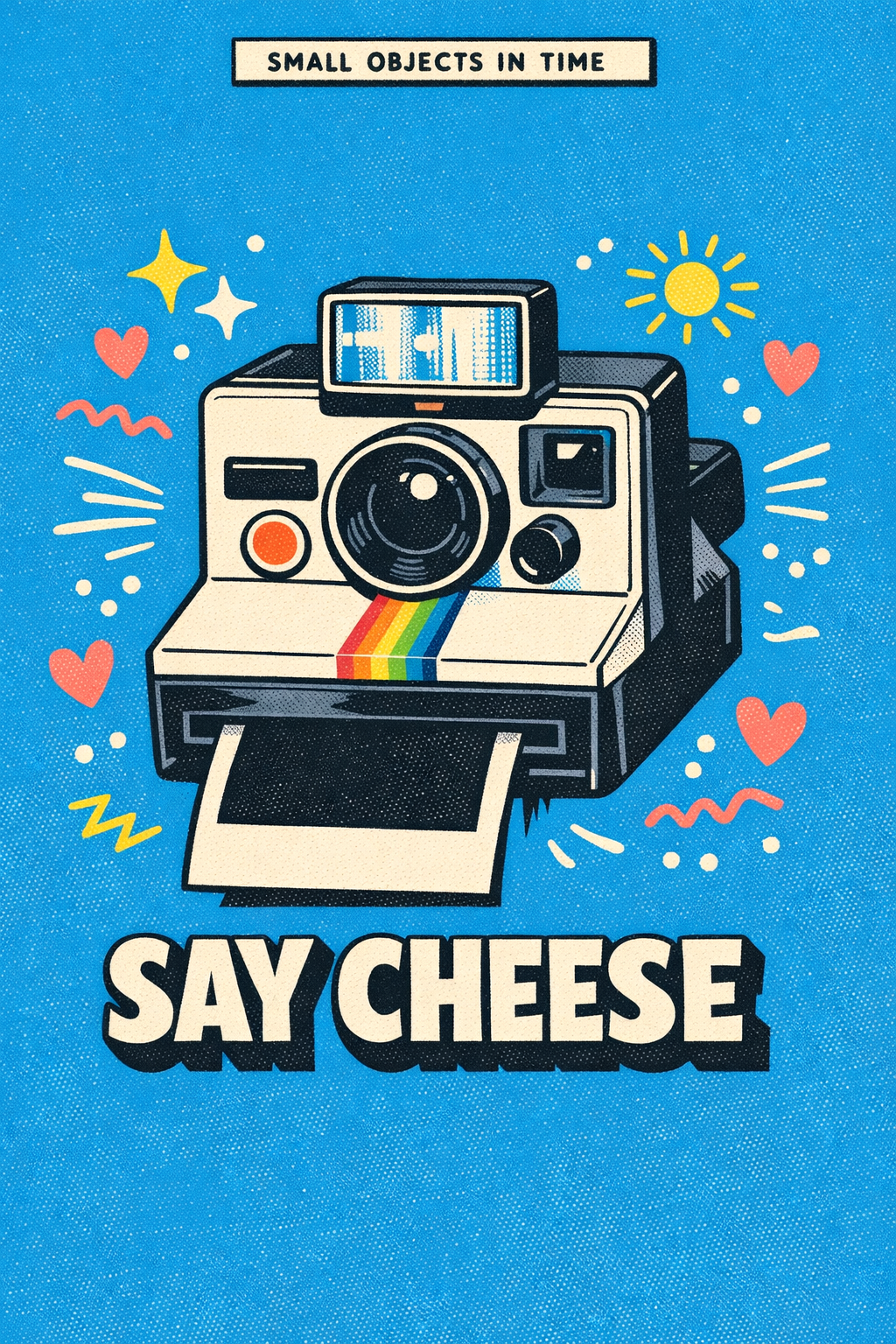
- Hero: boxy Polaroid-style instant camera, rainbow stripe, blank photo ejecting
- Background: sky blue
- Accents: white + coral pink + lemon yellow
- Doodles: tiny sun, hearts, zigzags, motion lines, sparkles
- Headline: SAY CHEESE
Example 4 — twin-bell alarm clock · tomato red · "WAKE UP" (morning rush)
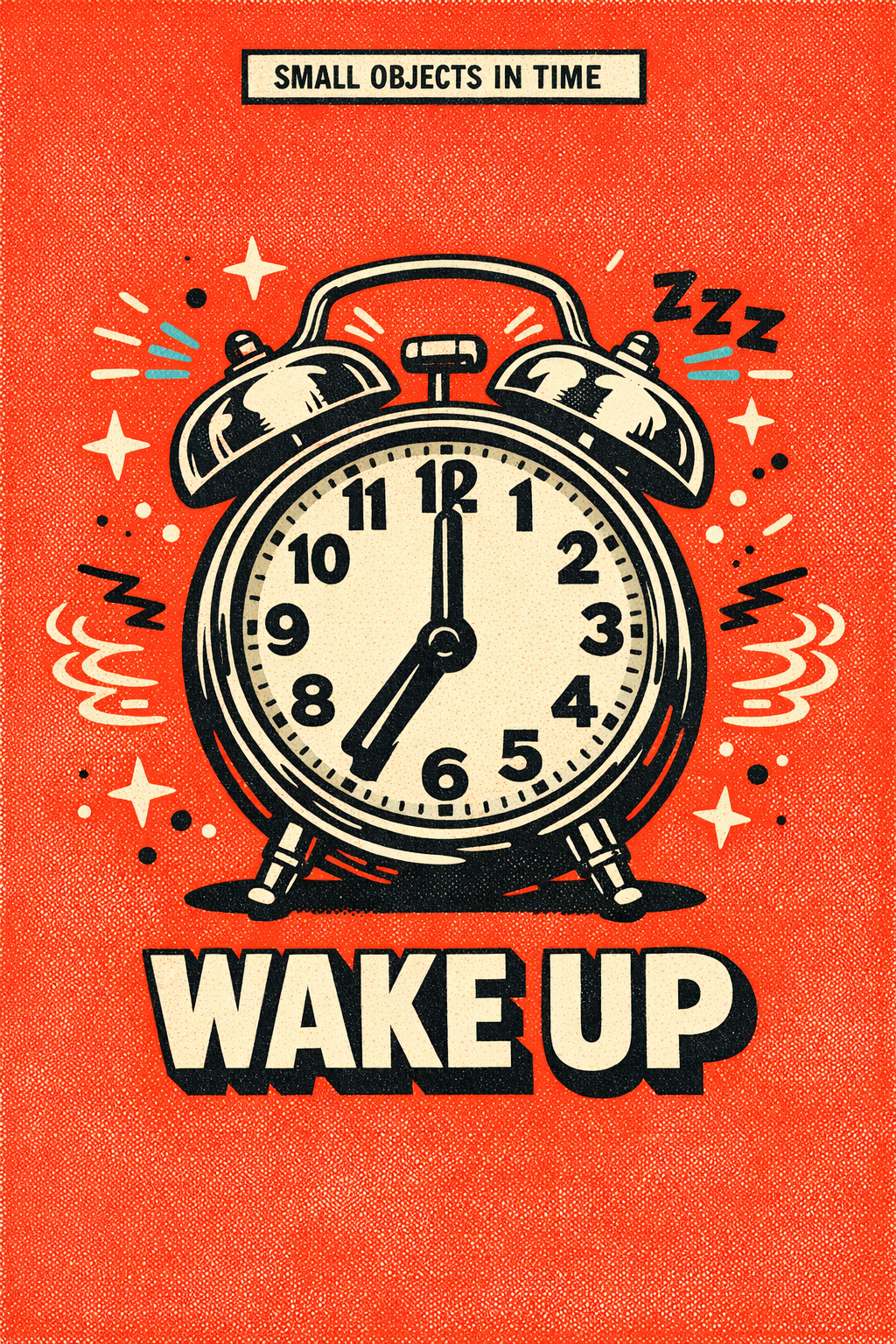
- Hero: vintage twin-bell mechanical alarm clock, hands at 7:00
- Background: tomato red
- Accents: cream + cyan + black
- Doodles: sound-wave arcs around the bells, "ZZZ" squiggles, sparkles, dots
- Headline: WAKE UP
Example 5 — cassette tape · deep violet · "MIX TAPE" (80s nostalgia)
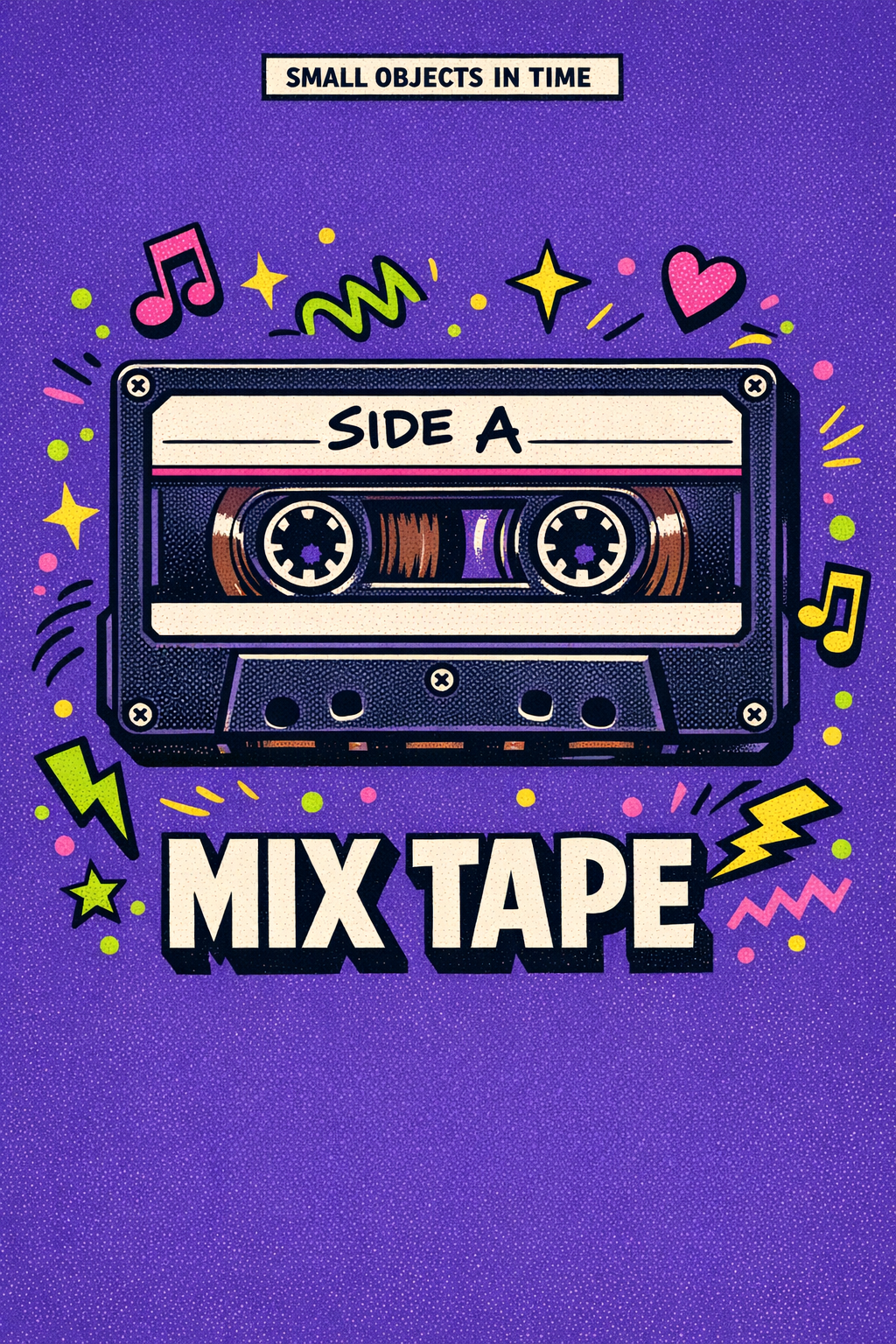
- Hero: 80s compact cassette, visible spools, hand-scrawled "SIDE A" label
- Background: deep violet
- Accents: lime green + hot pink + yellow
- Doodles: music notes, hearts, lightning, sparkles, zigzags
- Headline: MIX TAPE
Anti-patterns
- ❌ Two or more hero objects — the frame is a one-object poster; never a still-life
- ❌ A scene background (a desk, a wall, a horizon) — the field must be a single flat color
- ❌ Gradient background, vignette, or a second color band — flat saturated hue only
- ❌ Photorealism, 3D modeling, soft airbrushed shading — must read as flat vector + grain
- ❌ Doodle accents overlapping the hero — they orbit, they never collide
- ❌ Headline in a thin / modern / serif face — must be chunky retro display
- ❌ Headline without the offset black drop-shadow
- ❌ More than ~12 accent marks — the canvas should still breathe
- ❌ Headline that is a full sentence — keep to 1–3 punchy words
- ❌ Modern / digital objects (smartphones, AirPods, laptops) — defeats the "relic" feel
- ❌ Adding a human face or figure — the object is the only protagonist
Output evaluation checklist
Before declaring a piece done, verify:
- Exactly one hero object, centered, dead-symmetric
- Saturated single-hue background fills the entire canvas
- Top banner present with "SMALL OBJECTS IN TIME" (or user-specified copy)
- Bottom headline in chunky retro all-caps with offset black drop-shadow
- 6–12 doodle accents in the accent palette, floating, not overlapping the hero
- Visible halftone / riso grain across the canvas
- Bold black ink outlines on hero and all accents
- No gradients, no photoreal textures, no second background color, no scenery
Portability note
This style is designed to be model-agnostic at the semantic level — the spec describes what the image must look like, not which model produces it. It generates cleanly on broad-distribution image models (GPT-Image-2, Flux, Qwen-Image, Seedream 5). Higher-fidelity poster faces (clean type, accurate halftone) are easier on GPT-Image-2 at high quality and 1024×1536 portrait size. If a model struggles with the inline banner text, allow the banner to render as a small clean rectangle and overlay the "SMALL OBJECTS IN TIME" copy in post — the rest of the style should still hold.

